Cycle Count
A cycle count is a periodic count. The frequency with which an item is counted is based on its ABC class.
Companies with an established cycle count business process may count several items every day as part of that process.
• Review total item quantities on hand for a site
• View allocated and unallocated quantities for an item
• Allocated quantity detail information includes:
• Type of order (sales order or work order)
• Order number
• Quantity allocated
• If it is a detail (Picked) or a general (Qty Alloc) allocation
Each item has a specified count frequency.
• Whenever a count is entered, the last count date is updated
• When the item is due for another count, it will print on the worksheet
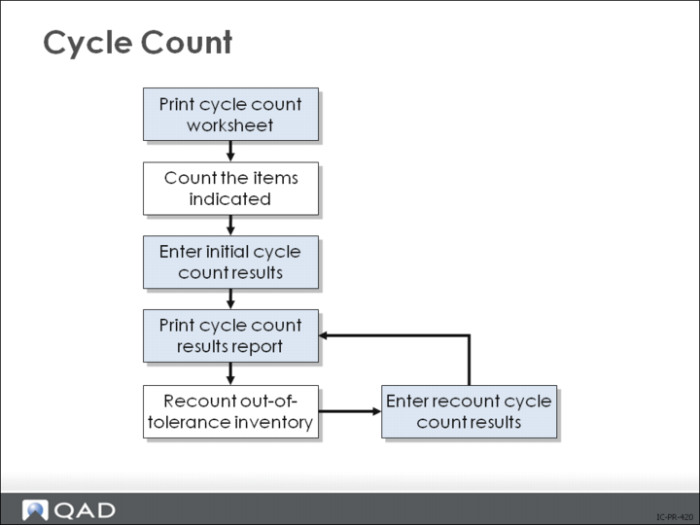
When a new count is taken, the quantity counted is entered and compared to the quantity on hand. If the new count is within tolerance, the inventory quantity on hand is updated to the count quantity. If the count is not within tolerance, the count is registered but the balance is not updated. The count has to be registered as a recount before an out-of-tolerance quantity can be forced into the system.
Before entering a recount, verify the physical count and check that all inventory transactions have been processed.
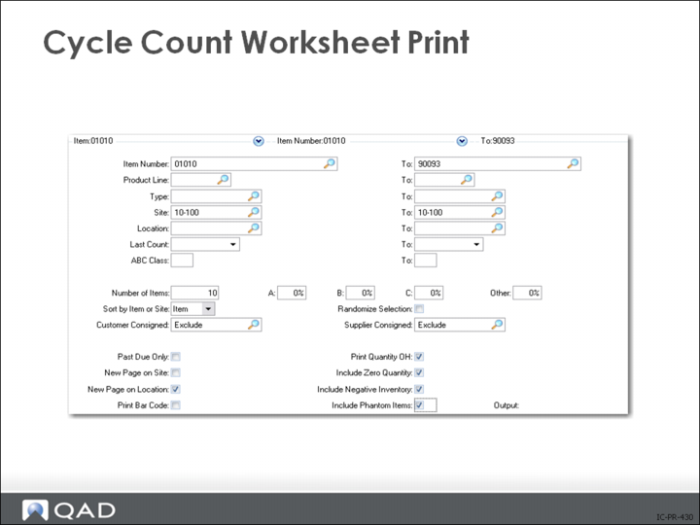
Cycle Count Worksheet Print
• Typically sent daily or weekly to the stockroom
• Cycle counts are recorded and used for Cycle Count Results Entry (3.14)
• Date Counted column is reserved for the date of the physical count completed by stockroom personnel
Once printed, stockroom personnel will use the worksheet to record their cycle counts and then return it to the system operator for input.
Note: It is essential that the timing of input for issues and receipts coincide with the Cycle Count Results Entry (3.14).
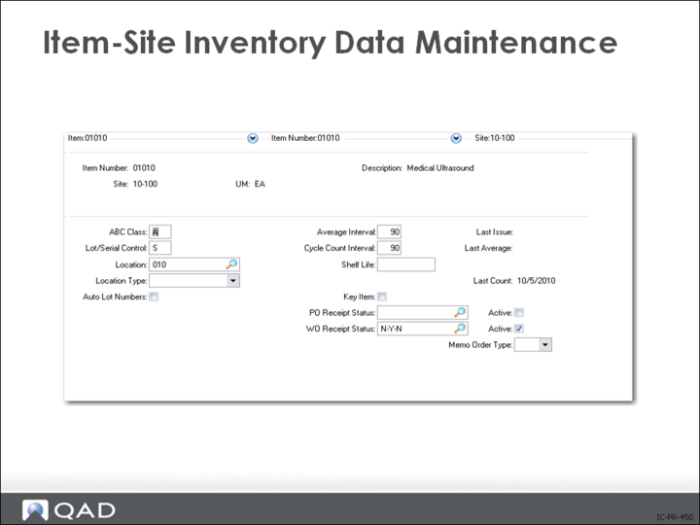
Item-Site Inventory Data Maint
Last Count
A system-maintained field recording the last date a cycle count or physical inventory count updated a location detail record. The default is the system date. Last count date can be used to select items for cycle counting, either by a range of dates or past due date only.
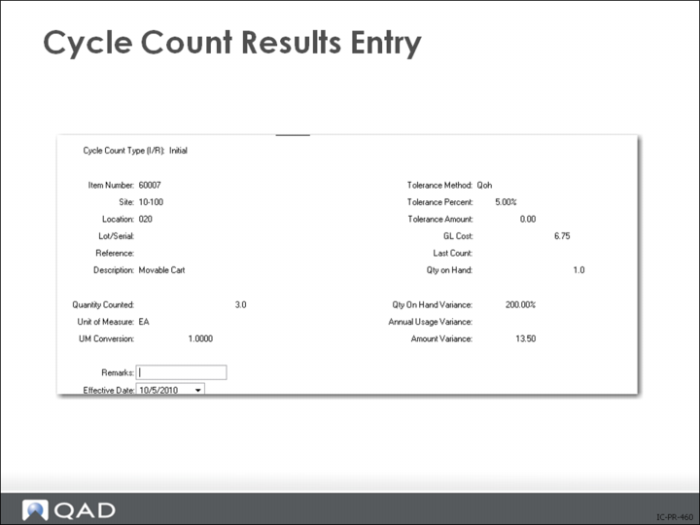
Cycle Count Results Entry
If initial count matches the system quantity on hand, or if the difference is within predefined error tolerances, the system accepts the count and changes the inventory balance to the quantity counted.
If initial count is rejected:
• Was there a data entry error? A count error?
• Did you count the right item at the right location?
Often another physical count is taken. Enter the results as Cycle Count Type = Recount and the system changes the inventory balance to equal the number counted.
Error tolerance levels are the primary control over the cycle counting process.
• In Inventory Control, you can enter both quantity and value tolerances for each ABC class, based on volume of annual usage or quantity on hand
• The count is accepted only when you enter an initial cycle count and the variance is within both the quantity and value tolerances
Override the tolerances and any location restrictions when you do a recount. Cycle Count Results Entry (3.14) allows you to correct any mistake previously made.
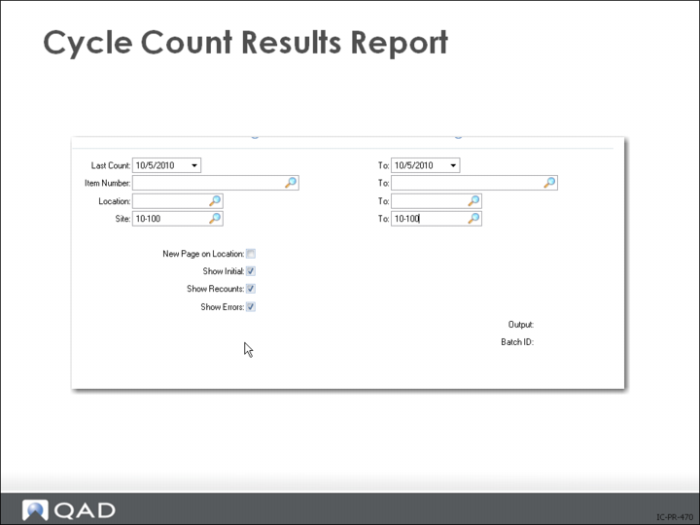
Cycle Count Results Report
Summarizes the cycle count results showing:
• Items counted
• In tolerance quantity
• In tolerance percent
• Items recounted
Exercise: Cycle Count
Instructions: In this exercise, you will practice all of the steps involved in a cycle count.
1 Print a cycle count worksheet for all items and locations at site train. Set the A, B, C, and Other fields to 100 percent to make sure all items in every class appear on the printout. Next, make sure the Print Quantity OH field (near bottom) is set to Yes. Then press Enter or Next button.
Use Cycle Count Worksheet Print (3.13) in SE, (3.13.1) in EE
2 Use Cycle Count Results Entry (3.14) SE, (3.13.2) EE, to enter Initial count quantities as follows:
Item | Qty Counted | Location |
60001 | 111 | 020 |
60002 | 100 | 020 |
60003 | 205 | 020 |
60005 | 180 | 020 |
60006 | 220 | 020 |
3 Print the Cycle Count Results Report (3.15 in SE; 3.13.3 in EE, or 3.13.27 for the enhanced .NET UI version in EE) for site 10-100. Identify and investigate the different counts. Which were accepted and which were not accepted? Why were some accepted and the others not accepted?
4 Use Cycle Count Results Entry (3.14) SE, (3.13.2) EE, and Cycle Count Results Report (3.15) SE, (3.13.3) EE, to enter recount quantities at the same amounts and locations as in the previous table for the initial count for items not in balance. Then reprint the Cycle Count Results Report (3.15) SE, (3.13.3) EE, and notice the differences between this report and the first report.
5 What should you do when a count is out of tolerance? Think of at least five things you should do.
a
b
c
d
e