Terminology
Action Message
A system message created during MRP calculations to flag a current or potential problem and suggest corrective action.
Available to Promise (ATP)
The uncommitted portion of inventory or planned production, maintained in the master schedule to support customer order promising. ATP quantity is the uncommitted inventory balance in the first period and is normally calculated for each period in which a Master Production Schedule (MPS) receipt is scheduled. In the first period, ATP equals on-hand inventory less customer orders due and overdue. In any period containing MPS scheduled receipts, ATP equals MPS minus customer orders for the period and all subsequent periods before the next MPS scheduled receipt. A negative ATP reduces prior period ATP.
Low-Level Code
The lowest level in a product structure (BOM) at which a particular component can appear. Net requirements for an item are not calculated until gross requirements are calculated down to that level. The system normally calculates and maintains this value automatically.
Pegging
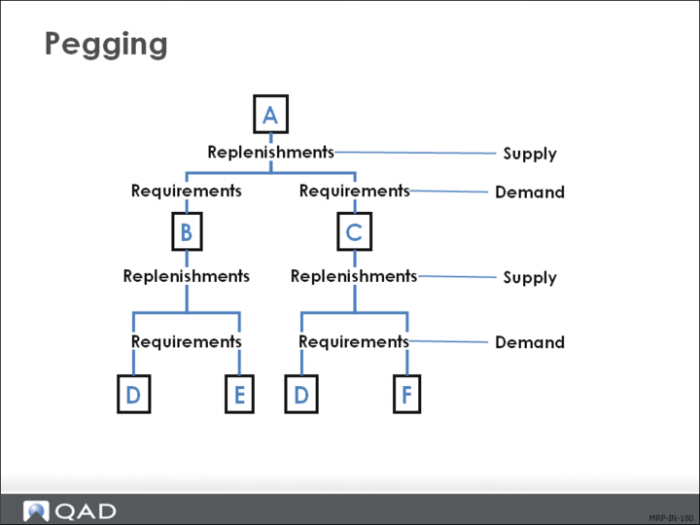
In MRP and MPS, the capability to identify for a given item the sources of its gross requirements and/or allocations.
MRP Horizon
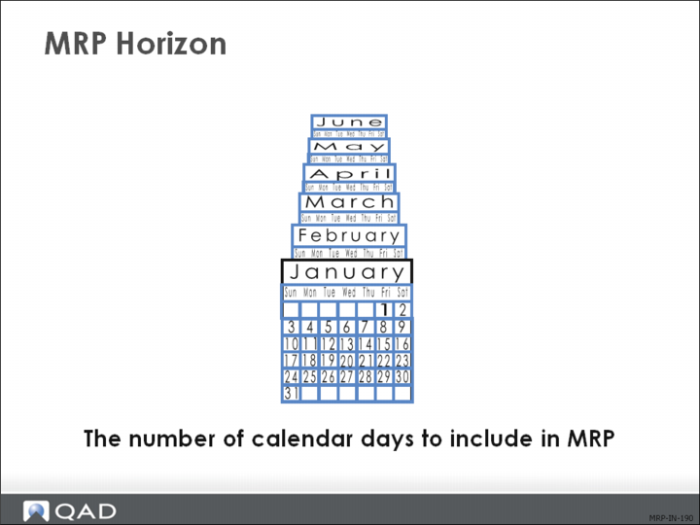
Also known as the MRP planning horizon. The MRP horizon is how far to plan forward in time. How far ahead demand is known and the lead times through the manufacturing operation determine its value.
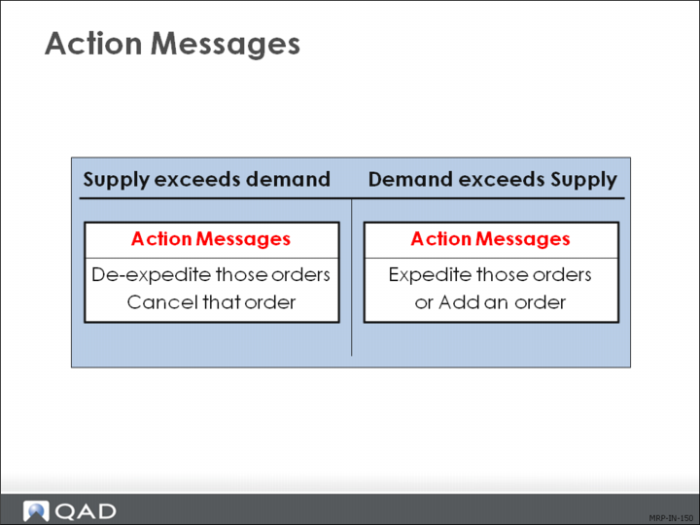
Action Messages
Action messages recommend the actions a planner takes to balance supply with demand, such as rescheduling, canceling, or releasing orders.
MRP generates action messages, as required, for all items with non-blank order policies. Order policy codes that the system does not recognize are planned as LFL (lot for lot).
Available to Promise
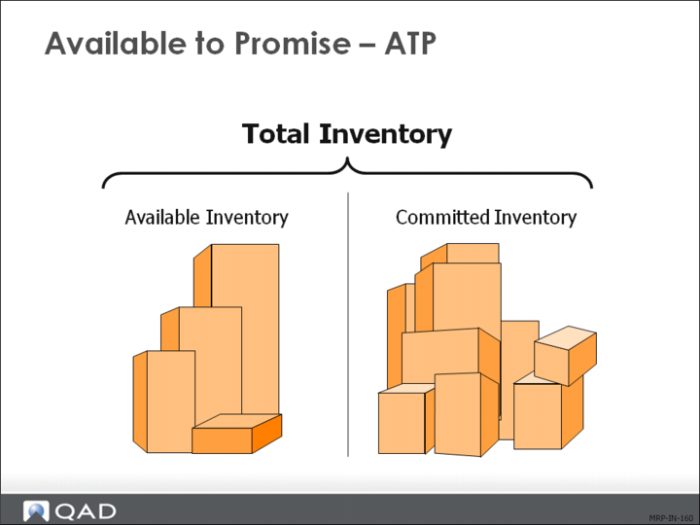
Available-to-promise (ATP) is the uncommitted portion of inventory or planned production that is available to be promised to new sales orders. The system displays ATP quantities on master schedule reports and inquiries.
ATP can be used to verify whether a sales order can be filled within a specific time frame given other demands and currently scheduled supply orders. The system calculates ATP by time period by deducting real demand from real supply:
• Real demand includes requirements for work order components, sales orders, and required ship schedules
• Real demand excludes forecast and production forecast
• Real supply includes quantity-on-hand, purchase orders, work orders, and repetitive schedules
• A net decrease in demand increases ATP, while a net increase in demand decreases ATP
Traditionally ATP was only displayed for periods that had a master schedule quantity. ATP from a prior period was not carried forward. QAD EA lets you display ATP in the traditional format and also in a cumulative format that allows prior period unconsumed ATP to be carried forward.
You also have the option of enforcing ATP in sales order maintenance with either a warning or an error. An ATP error indicates that there is insufficient quantity of the item on the date requested, but lets you take the order anyway. An ATP error does not allow the item to be processed.
You can also specify an ATP horizon, which tells the system how far into the future to look for ATP to fill a demand.
Low-Level Codes
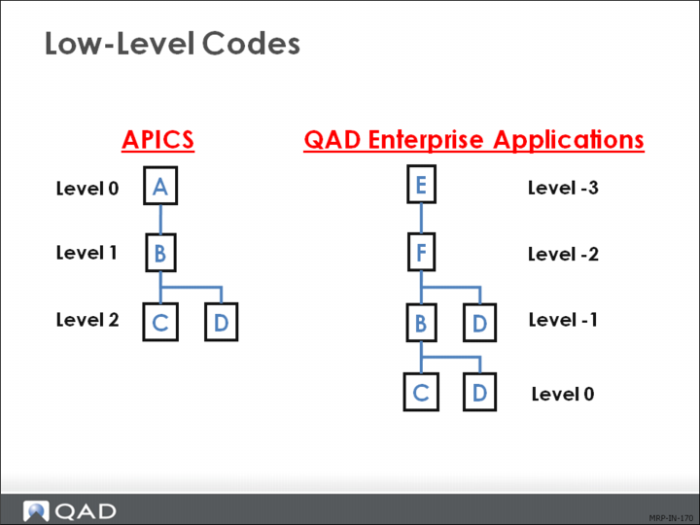
Low-level codes indicate the relative position of each item within the product structures. MRP uses low-level codes to ensure that all dependent demands from parent items are included. In the diagram, the product structure for Item E determines the low-level code of Item C, not the low-level code of Item A.
• MRP stops searching for occurrences of the item when it reaches the lowest level in each product structure, thus saving time
• QAD Enterprise Applications and APICS number the levels differently, but the process is the same: search for the item from the top down in each structure and stop searching after the lowest-level code for the item
• QAD Enterprise Applications automatically updates the low-level codes when you enter or modify product structures
Low-level codes can be inaccurate if you import data without testing it, or if you modify structures directly from Progress. If you believe that the codes are incorrect, run Low Level Code Update (23.22).
Note: Product structure data is often imported from CAD/CAM systems.
Pegging
Pegging identifies the source of the requirements. For example, pegging identifies the sales order or forecast that is creating the need for an item.
Pegging is made possible by the low-level codes. Pegging is maintained for one level. In the example, you can see that the requirement for E came from B, and the requirement for B came from A. However, you cannot inquire about E and see that its requirement comes from A.
MRP Horizon
The MRP horizon or planning horizon is the number of calendar days to be planned forward in time. How far ahead demand is known and the lead times through the manufacturing operation determine the MRP horizon.
• MRP only processes material requirements within this planning horizon, ignoring activity outside this horizon
• Make this horizon at least one day longer than your longest cumulative lead time
If you change the MRP planning horizon, replan all items by running Regenerate Materials Plan (23.2).