Selecting Fields
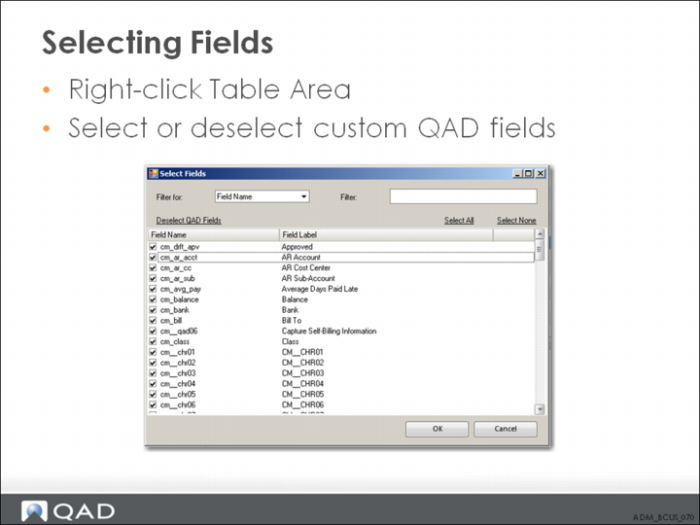
Right-click the table area and choose Select Fields. The Select Fields dialog has the following constraints:
• A field used in a table join cannot be unchecked and is displayed as grayed-out text in the dialog field list.
• A minimum of one field must be checked in the dialog field list before clicking OK to exit the screen.
When you have selected a subset of fields for a table, only the selected fields are displayed in the table control area. Note the filter icon displayed in the upper right corner of the Table Control to indicate to the user that a filtered list of fields is being displayed.
Using the Query Tab
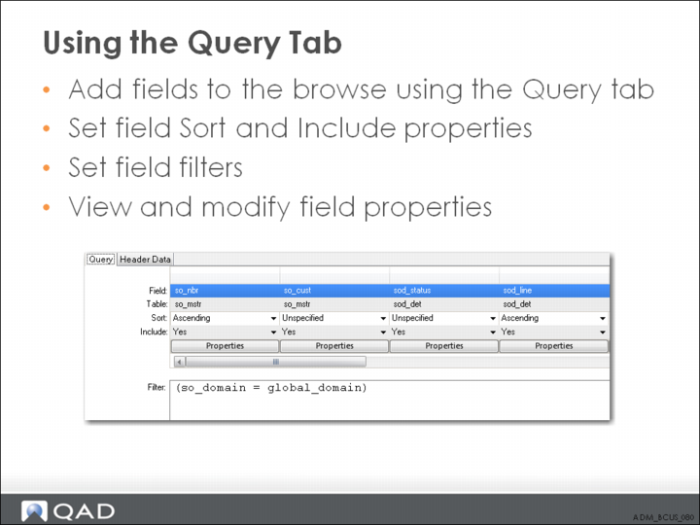
To add a field from a table to the browse, drag-and-drop a field from the table to a column in the Query section. Note that you can view and modify the properties by clicking on the Properties button at the bottom of the column.
To insert new blank columns into the grid, right-click the column header to display the column options.