Create a Production Schedule
In QAD Learning Central, the following training course corresponds to this chapter:
Planning and Scheduling Workbenches: 4. Creation of a Production Schedule - Functional Detail - 2011 Launch, code PLM11-1220.
Note: This training course includes videos for both Chapter 4 and Chapter 5.
Play the video within the course with this chapter. The video informs you when to stop the video and take the hands-on lesson.
Create a Production Schedule
Using PSW, you can build production schedules with full knowledge of resources, orders, items, the shop floor, and more. Besides just scheduling items, you can:
• Determine production order status and whether they are sequenced or unsequenced.
• Determine production progress.
• Define the sequence horizon and configure the display.
• Modify orders and order quantities.
• Create, delete, copy, and split production orders.
• Modify production order status or duration.
• Calculate order dates.
• Define defaults, shifts, and sequences.
• Sequence/unsequence production orders.
• Display shop floor activity and dispatch production to the shop floor.
• Print dispatch lists, picklists, production orders.
• Report production.
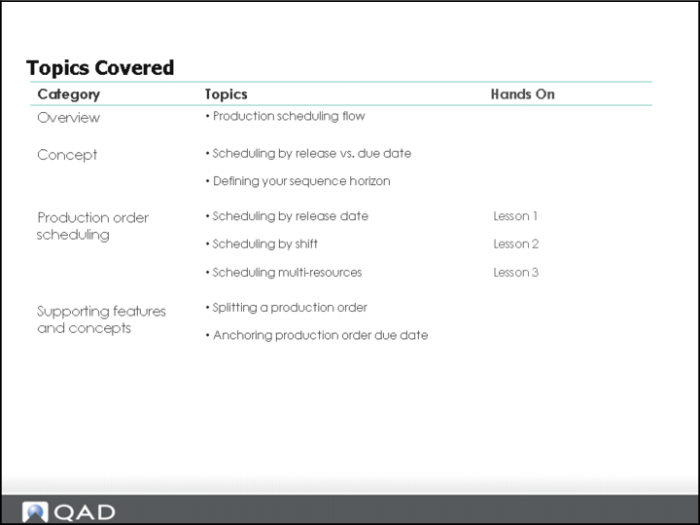
Topics Covered
Overview Section
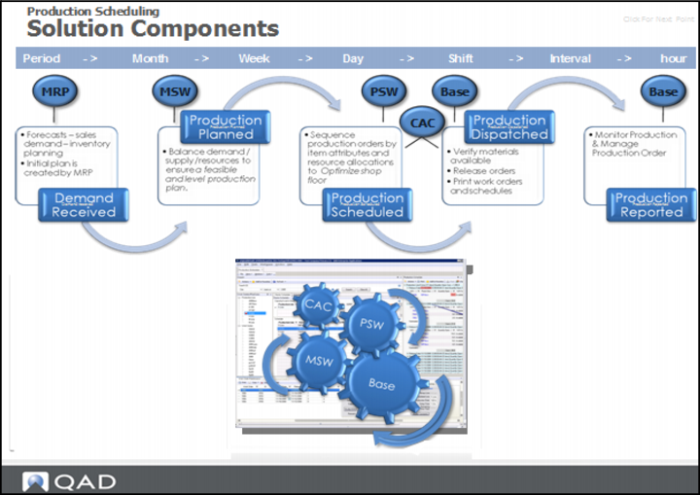
Solution Components
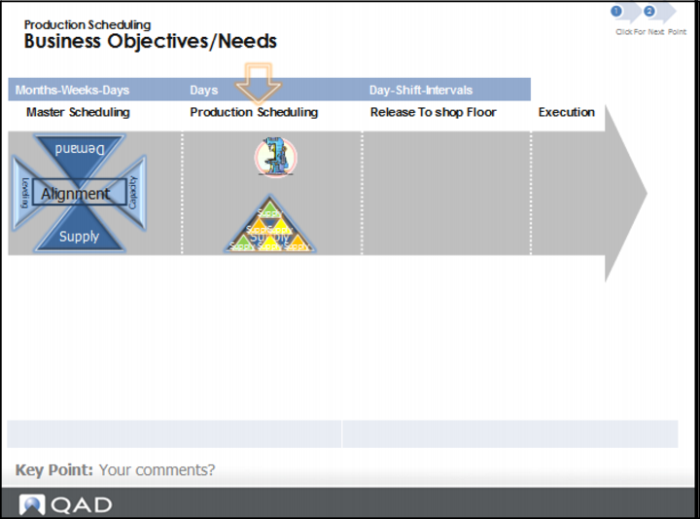
There are many different ways to access resource and scheduling data within PSW, and many different functions that you can perform using the data when creating or modifying a production schedule. The graphic in this topic explains the components involved in creating a production order. It includes elements from the scheduling business cycle.
Business Objectives and Needs
The following describes the business objectives, need, and approach:
Business Objectives/Needs.
Business Objective | Business Need/Approach |
Maximize production efficiency and use of resources | Ability to create a production schedule factoring item attributes to reduce machine setup and optimize production throughput. |
Ensure the component requirements support the production schedule, | Sequencing production orders within a release date & shift |
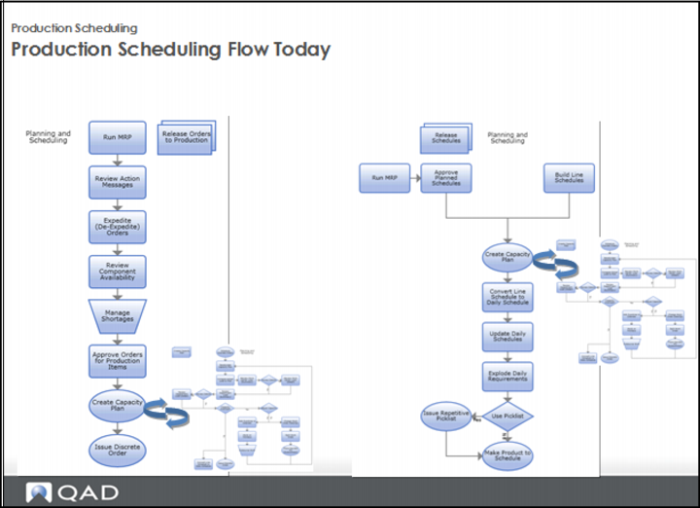
Production Scheduling Flow Today
1 Run MRP to release orders to production.
2 Review action messages.
3 Expedite/de-expedite orders.
4 Review component availability
5 Manage shortages.
6 Approve production orders for items.
7 Create capacity plan.
8 Issue discrete order.
Once you release schedules, approve planned schedules, and build line schedules, you:
1 Create capacity plan.
2 Convert line schedule to daily schedule.
3 Update daily schedules.
4 Explode daily requirements.
5 Issue repetitive picklist, if used.
6 Make product to schedule.
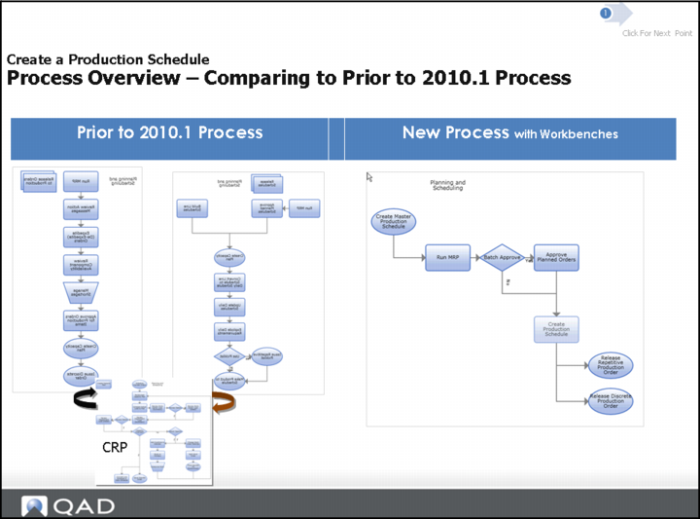
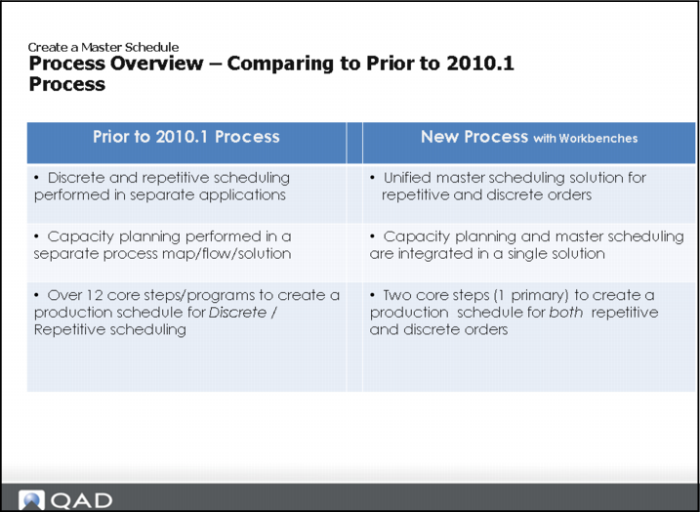
Comparing to Prior to QAD EA 2010.1 Process
Today, you:
1 Create a master production schedule.
2 Run MRP.
3 Approve planned orders, if needed.
4 Create a production schedule.
5 Release repetitive production orders.
6 Release discrete production orders.
Process Overview
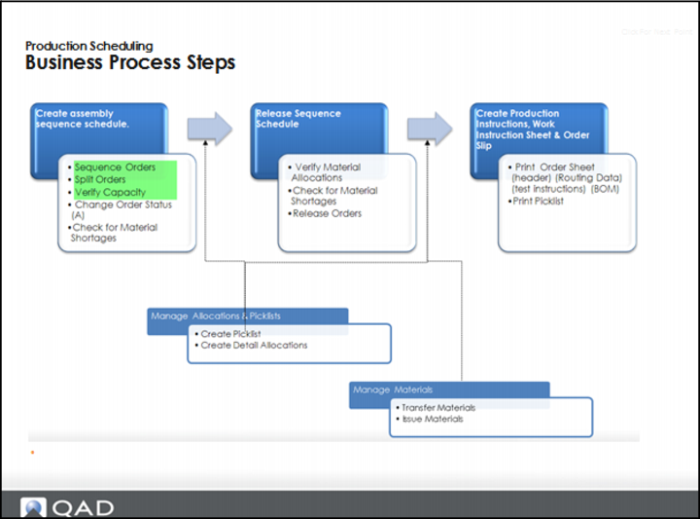
Business Process Steps
Create assembly sequence schedule:
Sequence orders, split orders, verify capacity, change order status, check for material shortage.
Note: This training covers sequence orders, split orders, and verify capacity.
Release sequence schedule:
Verify material allocators, check for material shortages, release orders.
Create production instructions, work instruction sheet, and order slip:
Print order sheets, print picklist.
Manage allocations and picklists:
Create picklists, create detailed allocations.
Manage materials:
Transfer materials, issue materials.