Choose the Environment
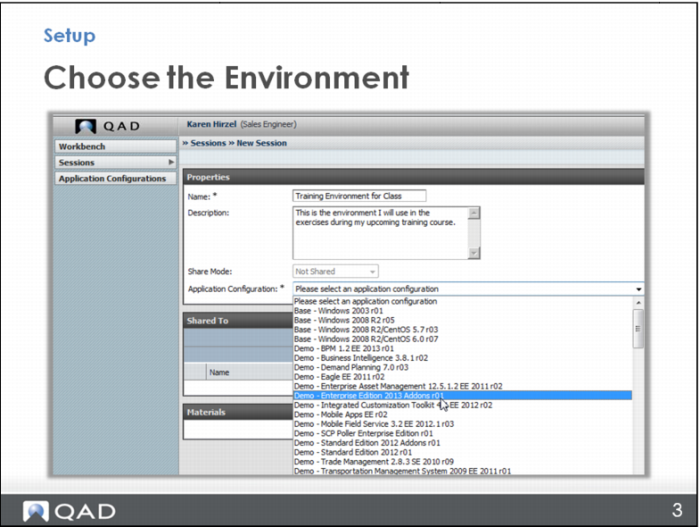
Name the session (for example, if you’re going to use it for Process Editor class, name it Process Editor Training). The description is optional, it’s just for you to know why you’ve set it up.
Under Application Configuration, choose the environment you want to use – it will probably be the latest version available, and it depends on which module you may need, but you should choose from the Demo environments. For example, choose Demo – Enterprise Edition 2013 Addons r01. Then click the Save button to save your session.