Opening the Session
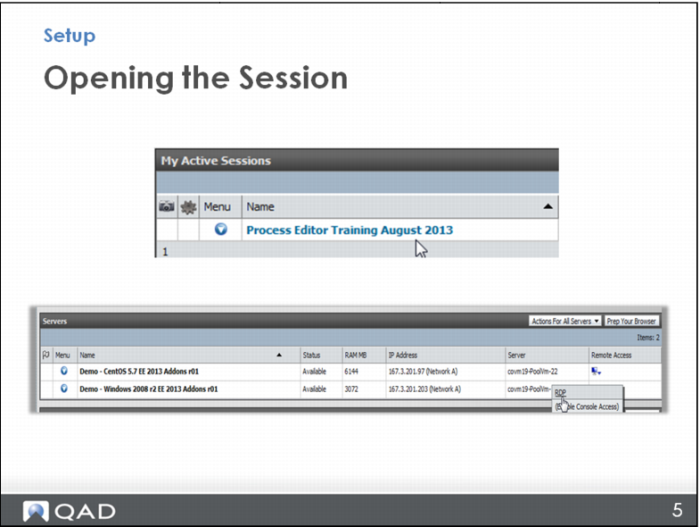
Once your session is ready, you will just click on the name to open it. Then, down where you see the Windows environment listed, look on the right side under the Remote Access column and you’ll see a downward arrow that opens a menu. Choose RDP (Remote Desktop). When the window opens, click Connect.