Nodes
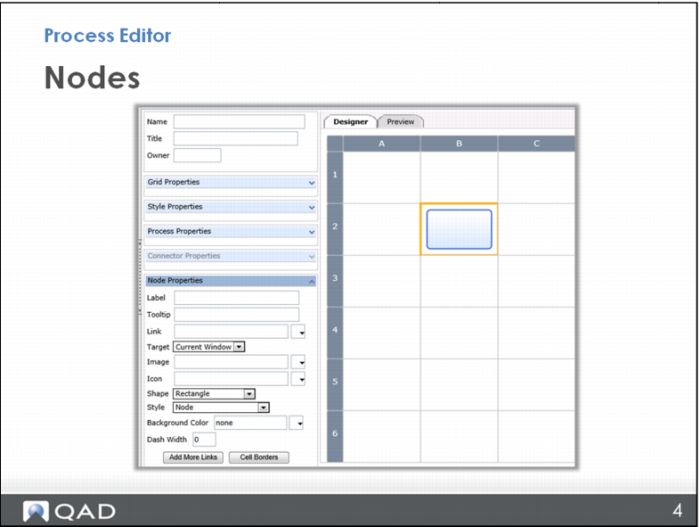
To create a node, you simply click a cell. The default node style is a blue rectangle.*
Later, you will learn how to make nodes of different shapes and colors, but for now, just use this. When you click the cell, the Node Properties section on the left side opens.
* If you get something other than the blue rectangle, look in Node Properties in the Style menu and choose the Node style.