Node Style
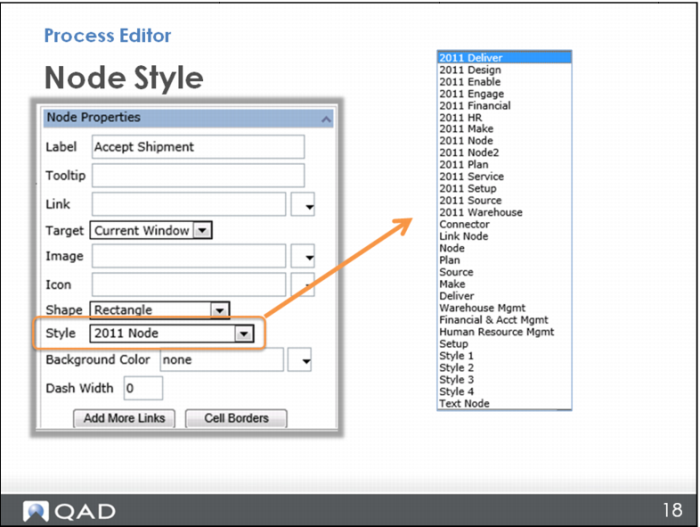
Next, select a style for the node. There are QAD standard styles already made for you to select from the Style menu. Note that QAD already has the SCOR model styles defined for Plan, Source, Make, Deliver, and so on. If the purpose of your node fits into one of those categories, use that. Or there are other node styles available, already defined with a shape, font, and color, so you can simply choose from among those.