Nodes
>
Other Node Properties
Other Node Properties
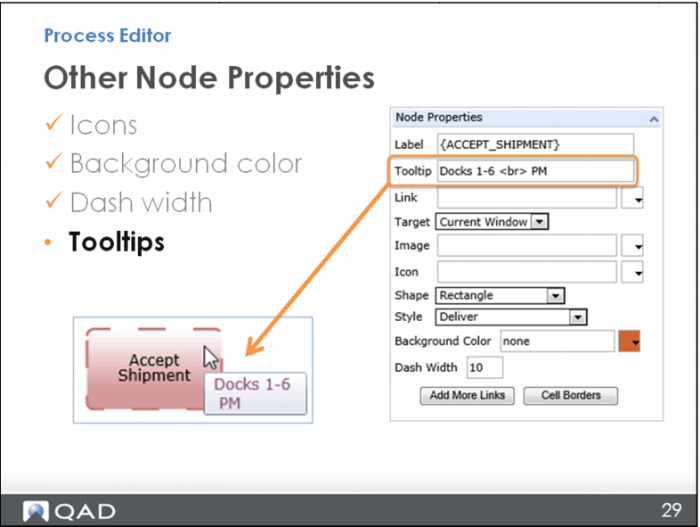
You can enter a tooltip so that some words pop up when you hover your mouse over the node – maybe this would be a helpful tip or a bit of explanation about the step. These tooltips are brought in from the same place as the node name/labels that you enter into Process Label Maintenance. You can look those up and use them consistently here, too.
If you need more room, you can specify a line break (so the next line of text moves down a line) by using a <br> after the last word on the line. Note that you can have up to four lines.