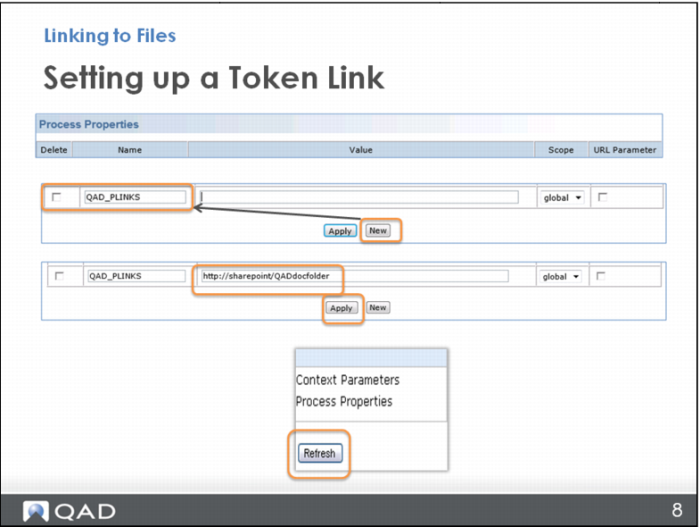
Setting up a Token Link
Look at the bottom of the Process Properties screen and click New. A blank line opens at the bottom of the list.
You need to name the token. Keep the name short so that you can type it easily when creating links. For example, if you want to call it QAD Process Map Links, maybe shorten it to QAD_PLINKS; or shorten “Work Instructions” to WI. This is better than having to type long token names later. Additionally, shorter token names are much easier to remember. For token names, use all uppercase letters with underscore lines in place of spaces.
With the token named, type the name and location of your server (for example:
http://sharepoint/QADdocfolder) and click Apply.
Finally, click Refresh to activate your new token.