Linking
>
Linking to Menus (Screens)
Linking to Menus (Screens)
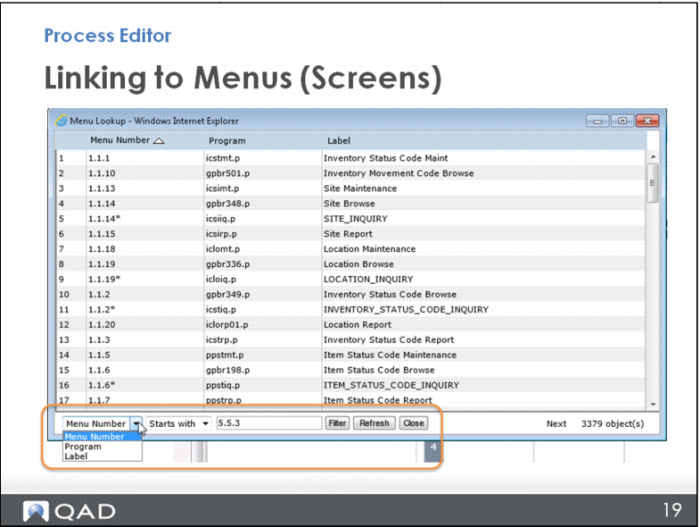
You can click on the column headings to sort by menu number, program, or label, and you can filter the whole list at the bottom of the page to narrow down your search.
For example, you might remember the first few numbers of the application menu number; enter the partial information, then choose “Starts with,” “Ends with,” or “Contains.” When you click Filter, the list is narrowed down to what you are looking for. To get the original list back up on the screen, click Refresh.