Finding the Name of a Map
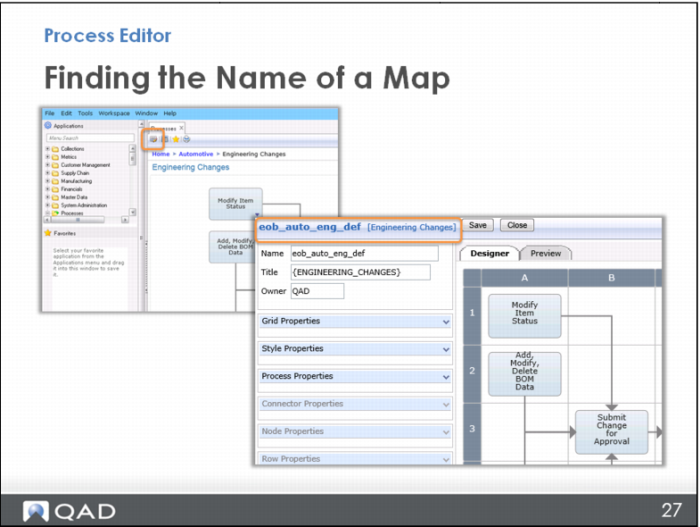
To make it easier for you keep node and map names consistent, there is a simple way to find the name of a process map you want to link to.
Start by navigating to the destination map; in this example, it is called Engineering Changes.
Click on the Process Editor icon, and you find the system name of the map at the top of the Process Editor and in the Name field.
Once you know the name of the target process map, you can scroll through the Process List lookup to identify the correct link.