Linking to Websites
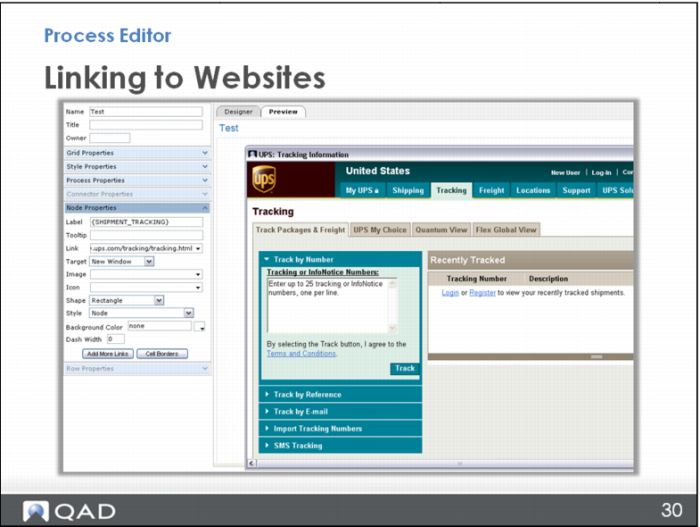
In this next example, you add a link to the UPS tracking website.
First, in the Process Editor, click on a node. In the Node Properties menu, type Shipment Tracking in the Label field. (Note the best practice of using a system standard name.) In the Link field, enter the UPS tracking website. Then specify if the target should open in a new window or the existing one. For this example, select New Window. In the Preview mode, clicking the Shipment Tracking icon opens the UPS tracking website where you can enter your UPS tracking number.