Dash Width
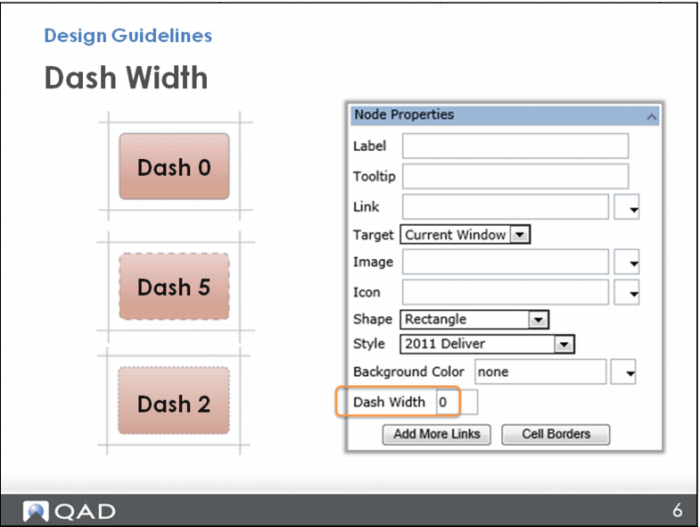
Remember, in Node Properties you can change the node border from a solid line to a dashed line. This can be an important part of your design. QAD uses a dashed border with a width of 5 to show a step is OPTIONAL. Other dash widths can refer to other meanings, perhaps an internal step you do at your company, such as having to get authorization before continuing. This dash style would give that indication without having to spell it out in words.
• The default dash width is 0
• Dash width 5 is an optional step
• Dash width 2 is another QAD standard used as a placeholder node that does not link to anything.
Instead, the node points you where you go; for example, an add-on product you do not have.