Padding
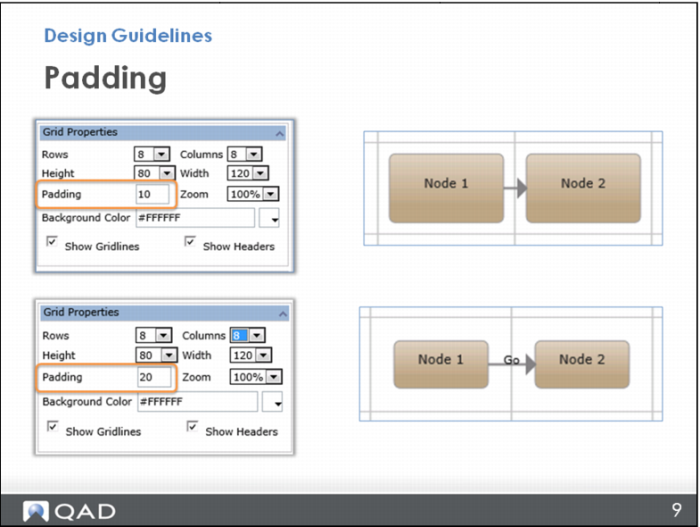
Remember, you can change the padding in Grid Properties. (This is the space between the node and the grid lines.)
One reason for doing this is to allow more room for a connector. For example, perhaps you want to add a label to the connector, but there is no room between the nodes unless you change the padding.
However, note that when you change the padding of a cell, you are changing it in Grid Properties, so it affects all the cells in the whole grid.