Exercise 6: Add Routing
1 The routing for the upgrade kit involves packing the CPU and the CD into an assortment box, then, placing the battery, power converter and power cord into a second assortment box. The last operation is placing the two boxes into a shipping carton.
Use Routing Maintenance (14.13.1) to add routing operations for the 01050 Upgrade Kit. Use Routing Code 01050. Be careful NOT to use the Standard Operation field. Note: The use of standard operations is covered in the course on work centers and routings. They are costed the same as any other routing operation.
|
Op No.
|
W.C.
|
Description
|
Setup
|
Run
|
|
10
|
1000
|
Assy CPU & CD into box
|
0.25
|
0.25
|
|
20
|
1000
|
Assy Batt, Conv & Cord Into Box
|
|
0.25
|
|
30
|
1000
|
Assy boxes into carton
|
|
0.25
|
The other fields in Routing Maintenance can be left at default values for now.
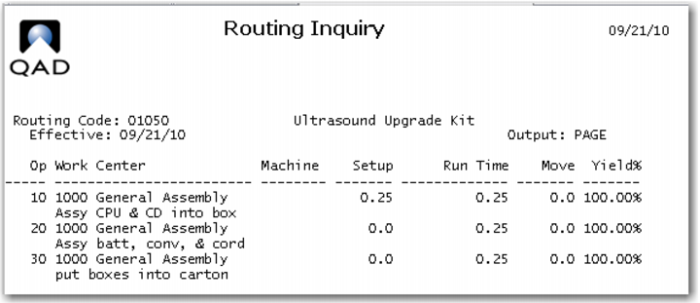
Use Routing Inquiry to review your work, it should look like this.
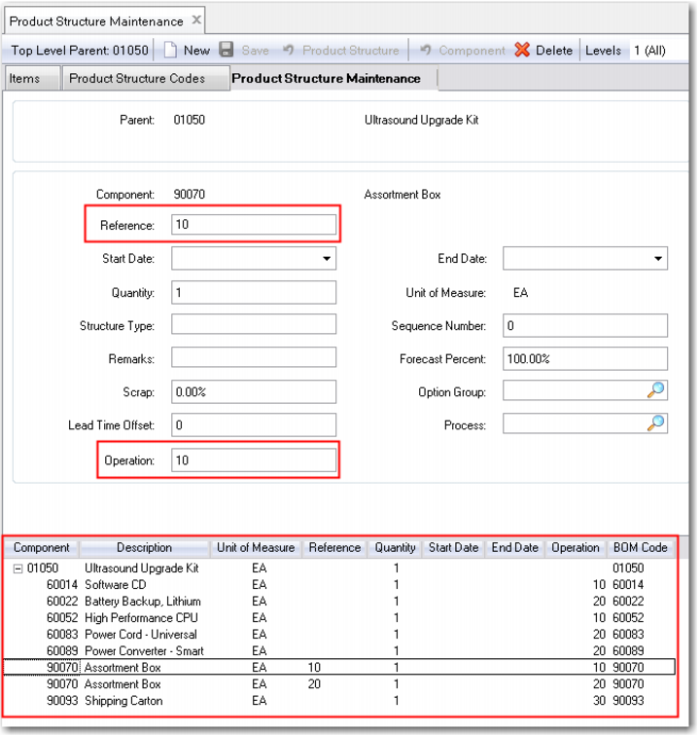
2 Use Product Structure Maintenance to add the operation at which each component is used to the product structure. In order to have the box 90070 set up at two different operations you add a reference code, to keep it simple make the reference code the same as the operation number. Your Product Structure Maintenance screen should look like this when you are done.
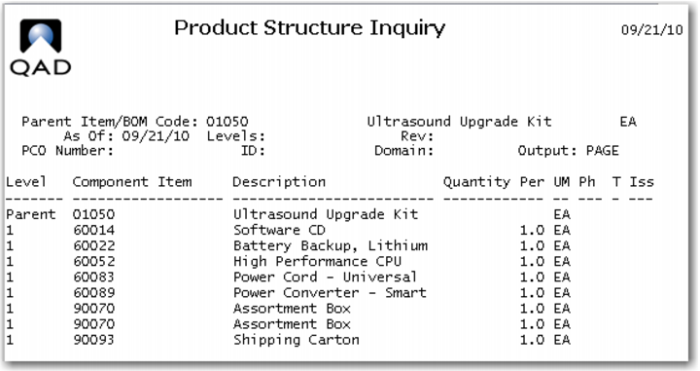
3 The Product Structure Inquiry now shows the assortment box, 90070, twice, at one each, rather than two as it did earlier. It does not show the operation number.
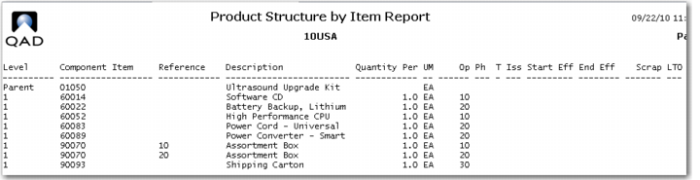
The Product Structure by Item Report displays all fields of the product structure and a couple from the item master, the phantom field and the issue policy field. The details of all the available fields in product structures are covered in the course on Product Structures.
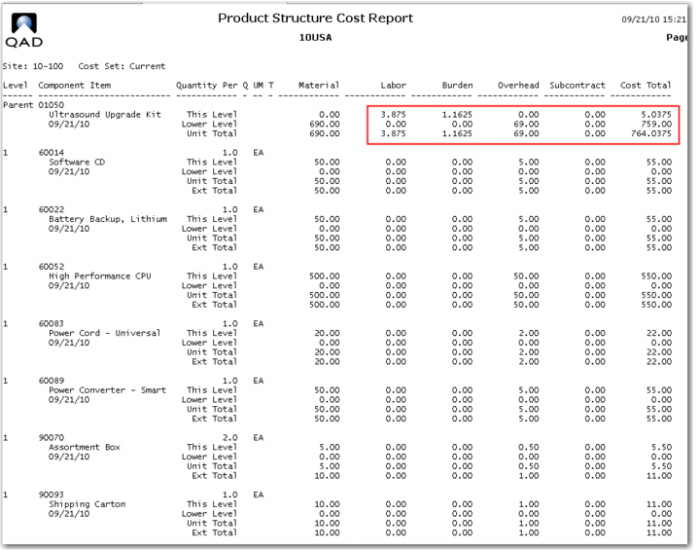
4 In order for the operation details to be reflected in the item cost you need to roll up the route, then roll up the product structure again. Use Routing Cost Roll Up (14.13.13) then Product Structure Cost Roll Up (13.12.13). Review the Product Structure Cost Report, it should now reflect This Level labor and burden for the 01050.
Subcontract Cost per Unit
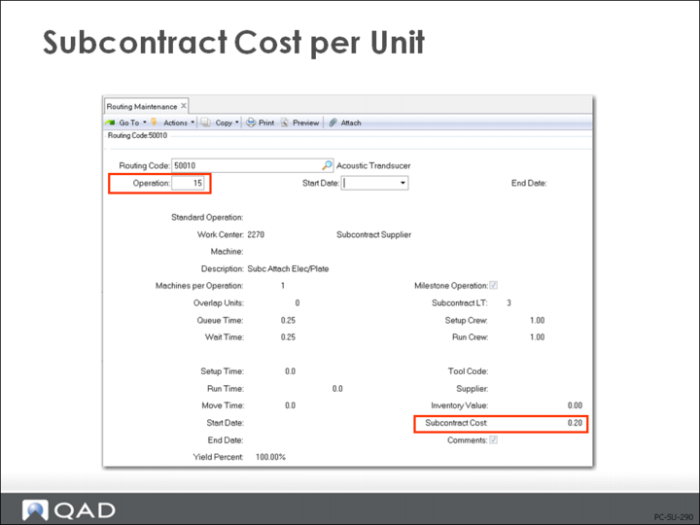
Subcontract costs are entered in Routing Maintenance (14.13.1) at the step or operation at which the outside processing will be performed. The cost is entered as the standard charge from your subcontract supplier for performing the work. You can have multiple subcontract operations in a routing.
Actual management of subcontract processing requires that the work order be linked to a subcontract purchase order if you want to have charges applied to specific work orders. When the purchase order is received, the inventory accounts are not affected. Instead the standard subcontract cost is debited to Work in Process, and the PO amount is credited to PO Receipts. Any variance between the standard subcontract cost and the PO amount is calculated as a subcontract rate variance and posted accordingly.
If you open a subcontract purchase order and don’t link it to a specific work order, then the cost of the subcontract will be debited to Cost of Production instead of Work in Process.
Subcontract Routing/OP PO Maintenance
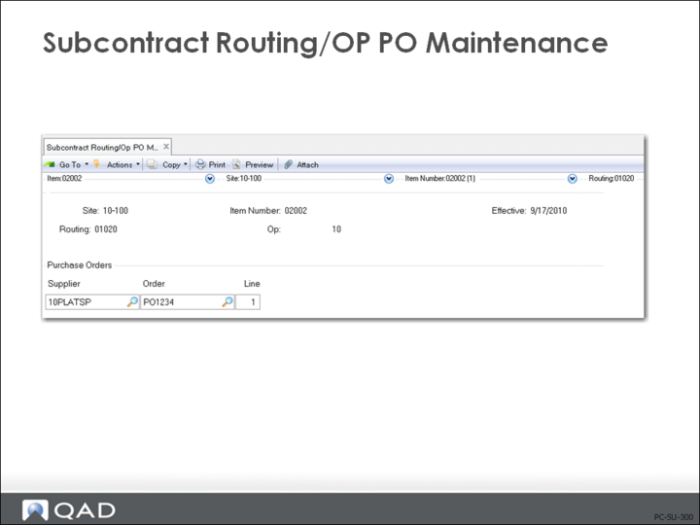
Use Subcontract Routing/Op PO Maintenance to specify discrete subcontract purchase orders for a specific routing and operation.
If your company uses more than one subcontractor for the same routing and operation, you can enter multiple subcontract purchase orders in the Purchase Orders frame.
When you specify subcontract purchase orders for a specific routing and operation, the system uses the information to find the subcontract purchase orders and automatically update the cumulative ID and operation when an Advanced Repetitive transaction creates a cumulative ID.
Line
Enter the purchase order line number associated with this subcontract routing/operation purchase order record. If you do not enter a supplier ID, you must enter both the purchase order number and the line number. When you do this and click Next, the system suppliers the supplier ID.
Routing Cost Report
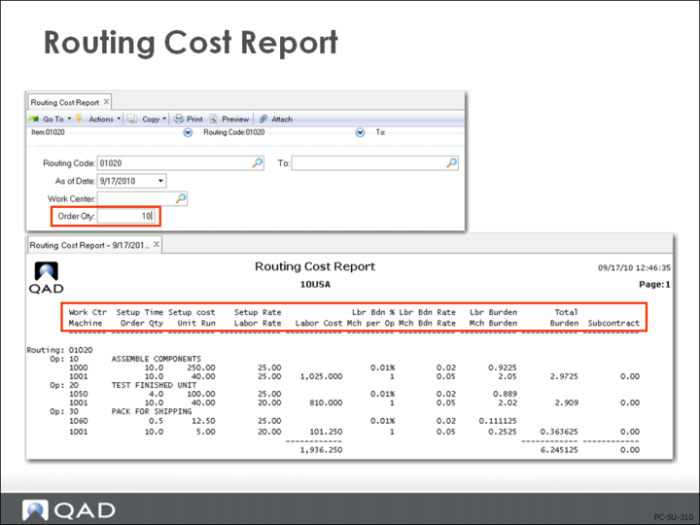
The Routing Cost Report (14.13.14) displays the costs calculated by operation for selected routings. These routings might or might not be attached to an item, so it is always necessary to specify an Order Quantity against which setup costs can be amortized. These reports can optionally display all operations for a work center.
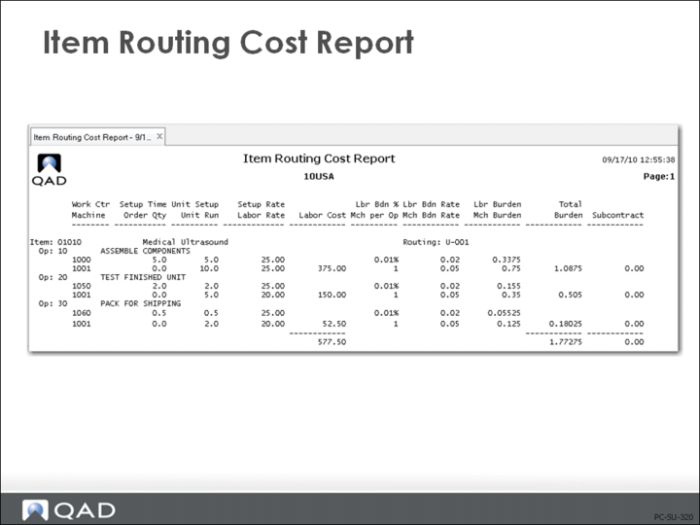
Item Routing Cost Report
Item Routing Cost Report (14.13.15) shows all routing costs for an item and/or work center.