Exercise 11: Effect of Product Structure Scrap
A problem has been encountered with the power cords. About 5% of the power cords are defective. The decision is made to add a scrap factor to the product structure to increase the planning quantities and the cost of the end item, until a solution is found.
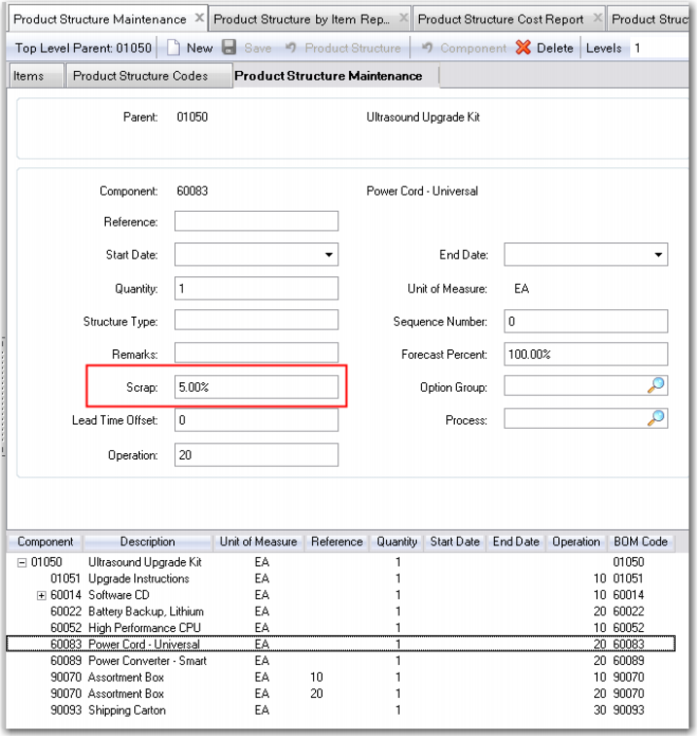
1 Use Product Structure Maintenance for the 01050, for the component 60083 add a 5% scrap factor.
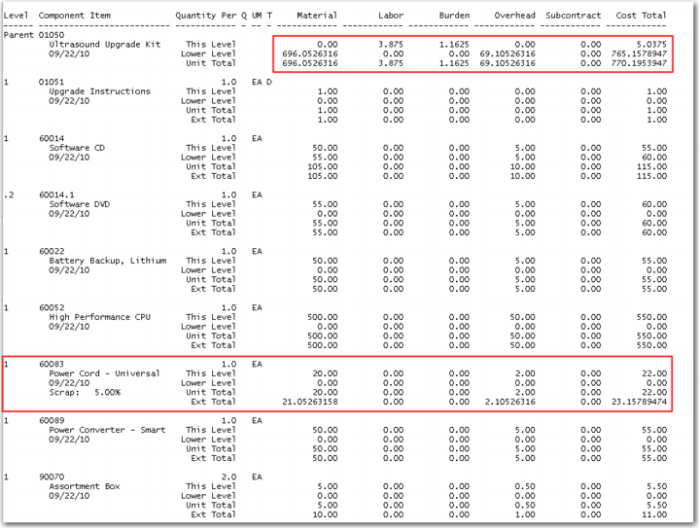
2 Run the Product Structure Cost Roll Up for the 01050 and review the Product Structure Cost Report.
Note the annotation of Scrap 5%. The item 60083 has had its cost of 20.00 inflated by 5% (20/0.95 = 21.05263158). There is a corresponding increase in the Overhead cost. These costs are rolled up to the lower level material and overhead accounts of the end item 01050.
3 3. Let's assume the problem has been corrected. Use Product Structure Maintenance for the 01050, and for the component 60083 remove the 5% scrap factor.
Run the Product Structure Cost Roll Up for the 01050 and review the Product Structure Cost Report to ensure that the lower level material cost of the 01050 is again 695.00 and the overhead is 69.00.
Loss Costing: Scrap Percent
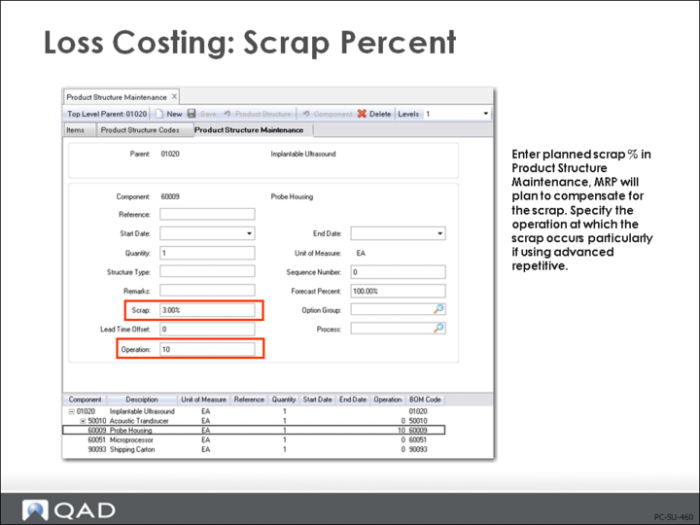
Loss costing using scrap percent is the inverse of loss costing using yield percent and is used to indicate the expected additional quantities of this component required to produce the parent. The scrap percent is entered in Product Structure Maintenance (13.5).
Quantity per and scrap percentage are used by the Product Structure Cost Roll-Up (13.12.13) for calculating the cost of the parent item
If the Operation field is left blank, then the system assumes that all components are issued at the first operation; therefore cumulative yield losses apply to all components. This is normally the case on all BOMs that will be used with machining or processing work orders.
If an operation code is entered in the Operation field, then, for cost calculations, the system considers the operation at which the components are normally issued. Cumulative yield loss applies only to those components that have been issued up through that operation. This is appropriate for assembly type BOMs where components are used at various stages in the routing.
The same component can be issued at several operations each with a different scrap value.
Lower-Level and Total Costs Calculations
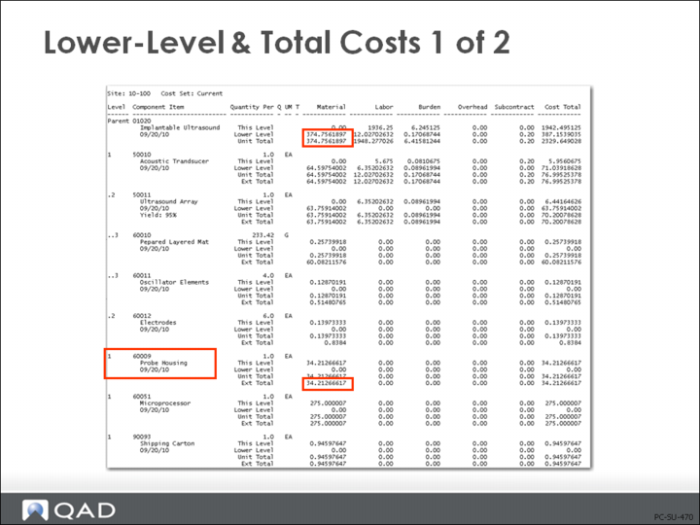
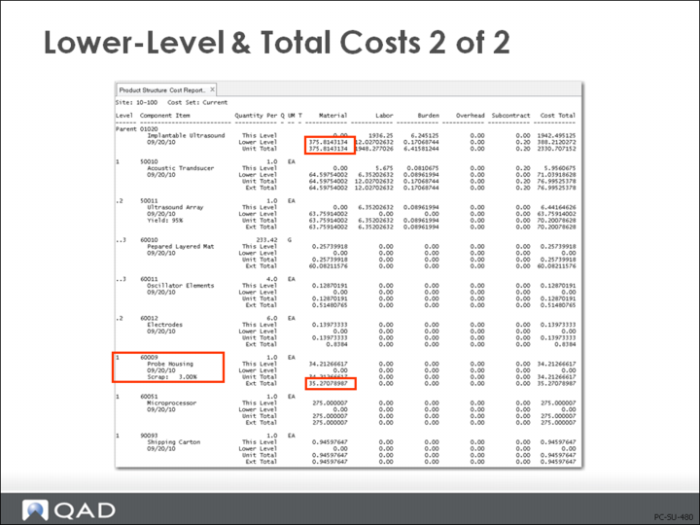
Example: The lower-level and total costs shown in the figure above are based on no scrap or yield for any item.
The This Level and Extended Total for the Probe Housing 60009, is 34.21266617. The total Lower Level material costs for the 01020 Ultrasound are 374.7561897.
In this example 3% scrap has been added to the component 60009 Probe Housing.
The cost of the Probe Housing is still 34.21266617, but the Extended Total is now 35.27078987 to reflect the 3% scrap. (34.21266617/.97) = 35.27078987. This increased cost is rolled up to the lower level material cost of the top level 01020 Ultrasound.
Reject Costing
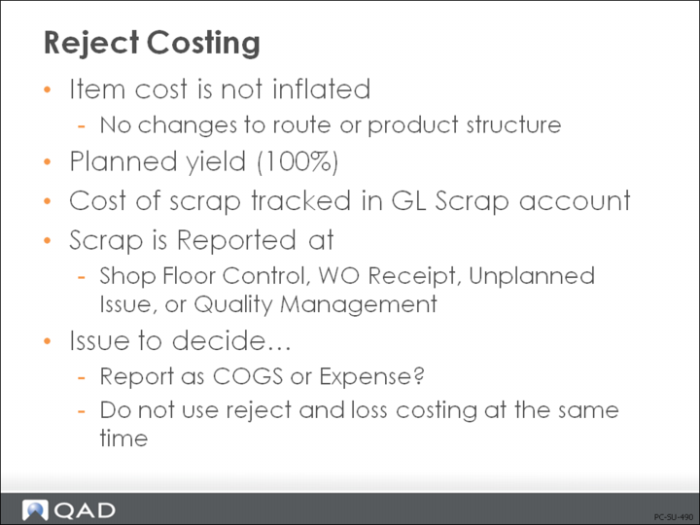
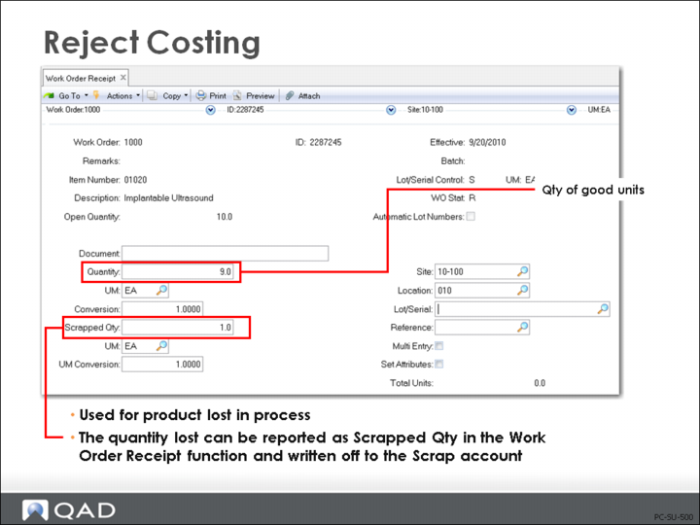
In reject costing, you do not specify any yield percentages in the operations. Instead, the costs of scrap are tracked in a special Scrap account. Unlike when using loss costing, in reject costing you are reporting the actual scrap occurring in the production process.
In QAD Enterprise Applications, reject costing can affect:
• Work Order Receipt (16.11) (shown in figure above) or Work Order Receipt Backflush (16.12)
• Shop Floor Control (17.1)
When recording rejects in SFC, only those units that are recorded as rejects in both SFC and in one of the work order receipt transactions have corresponding transactions reflecting that loss for the GL. (An entry is created to debit Scrap and Credit WIP.) Rejects recorded in SFC alone are recorded for reporting purposes only and have no consequence for the GL.
• Repetitive (Repetitive Scrap (18.18)) and Advanced Repetitive (Backflush Transaction (18.22.13), and Scrap Transaction (18.22.18))
• Unplanned Issues (3.7)
Another way of sending something to scrap is to use unplanned issue to scrap, which means that you must change the default accounts to the Scrap account
• Quality Management (19.11)
Quality order items that fail inspection are scrapped. The Scrap account for the product line is debited and the Inventory account defined in Inventory Account Maintenance for the product line at the inspection site and location is credited