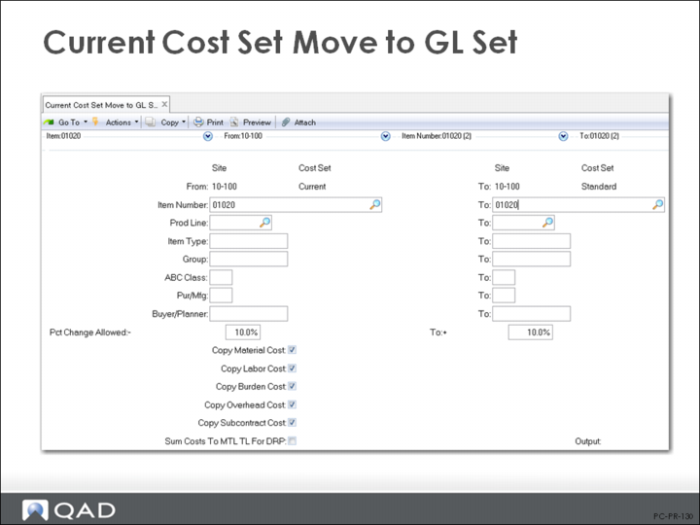
Current Cost Set Move to GL Set (1.4.22)
Item Number / Prod Line / Item Type / Group / ABC Class / Pur/Mfg / Buyer/Planner
The selection criteria allows you to move only specific types of items if required; for example, certain product lines, item types (for example, only finished goods), or ABC classes.
Pct Change Allowed
This field restricts the cost movement to items whose GL costs would change only within the indicated range. To accept the movement of all costs regardless of the difference from the previous GL costs, enter a question mark (?) in this field and its corresponding To field. You can look at the potential consequences before actually moving the current costs to GL costs. To do this, set Pct Change Allowed to 0% (and its corresponding To field). The proposed changes will be displayed on the output device you have chosen (terminal, window, or printer), but not made to the GL costs.
Pct Change Allowed = ? for no restrictions
Pct Change Allowed = 0 to review
Note: Note that where the GL cost is zero, the current cost is copied regardless of any percentage change restrictions
Copy Material / Labor/Burden / Overhead / Subcontract Cost
Normally, set all fields to Yes. Each cost component is copied from the current cost set into the GL cost set, provided that the difference between the two total costs does not exceed the Percentage Change Allowed.
Output
Always print the report. If GL costs are changed by mistake, you must manually reenter the old cost in Item-Site Cost Maintenance (1.4.18).