Exercise 4: Subcontract PO
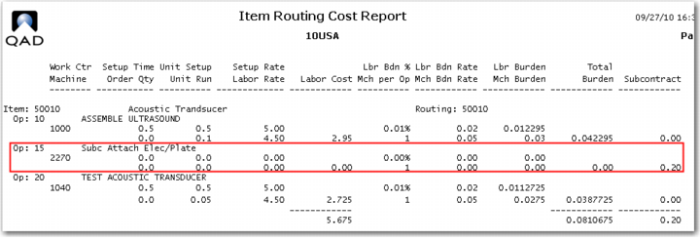
To demonstrate the Subcontract PO you will create a work order for item 50010, Acoustic Transducer. This item has three operations; operation 15 is a subcontract operation with a standard cost of 0.20 per piece as entered in Routing Maintenance.
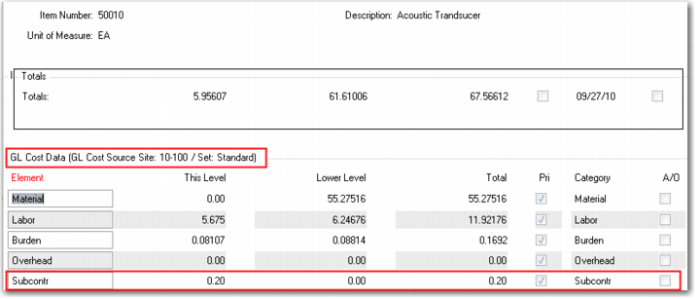
1 However, if you review Item Cost (1.4.9) there is no GL or Current cost for this operation in the Item Master Cost Maintenance. This indicates a routing cost roll up had not been done. Use Routing Cost Roll Up (14.13.13) for item 50010. Note the roll up defaults to the Current Cost set. Look at Item Cost (1.4.9) and you should now have a current cost of 0.20.
2 As all transactions are costed at GL Standard you need the cost in that data set as well. You could do the roll up again for the GL set, or you could use Current Cost Move to GL (1.4.22), or you could add the 0.20 manually to the GL Cost set as Subcontract cost. Pick one.
3 Use Work Order Maintenance (16.1) to create a work order for 100 of the 50010. Let the system assign the work order number and ID, just click enter, enter the item number and Site 10-100. Enter the quantity of 100 and change the Status code to R for released. Complete the order release accepting all other values at default. Note the order number.
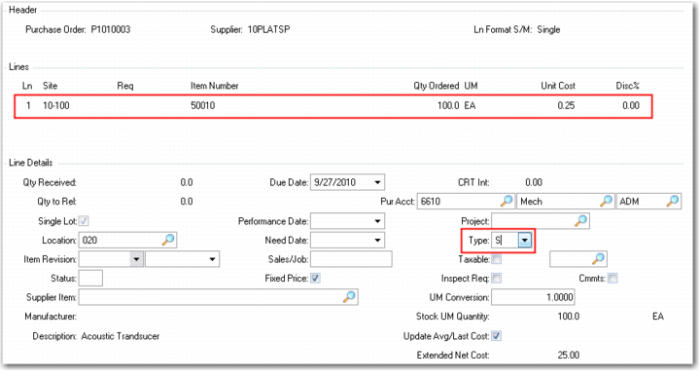
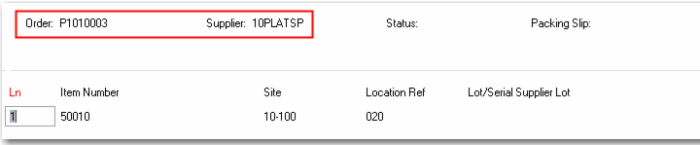
4 Use Purchase Order Maintenance (5.7) to create a PO for the subcontract operation. Let the system assign the PO number. The supplier for plating is 10PLATSP, Plating Subcontractor-USA. Use the lookup icon to find it. Advance to the line items, for line one change the site to 10-100, enter the item number and the quantity of 100, and make the Unit Cost 0.25. This will create a subcontract price variance.
In the lower frame be sure to set the line item Type to S for subcontract. This tells the system how to handle the costs for this line item.
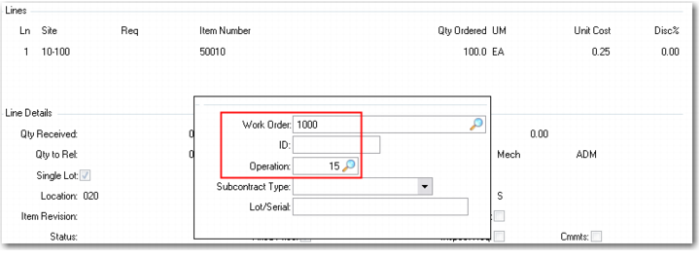
When the pop-up appears, enter the work order and operation numbers. The work order ID is required when using Advanced Repetitive. Details are covered in that cost course. Full details on the use of subcontract operations is in the Work Center and Routings course, and in the Advanced Repetitive course.
Complete the Purchase Order.
5 Receive the subcontract operation from the vendor. Use PO Receipts (5.13.1) to receive all 100 units.
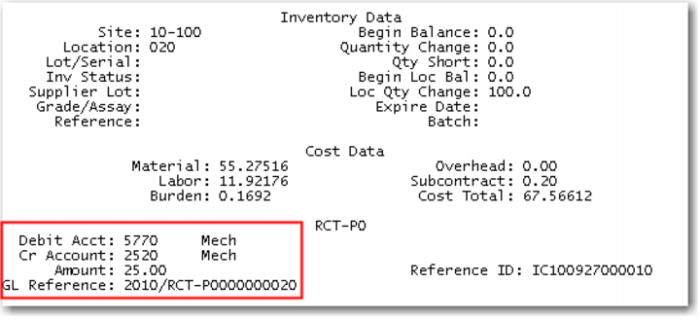
6 Use Transaction Detail Inquiry (3.21.1) to review the inventory transaction.
In the RCT-PO you see a debit to cost of production (5770) and a credit to PO receipts of the entire 25.00.
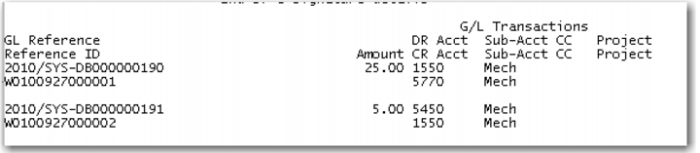
7 Review Operation Transaction Detail Inquiry (16.20.13.9), to see the work order transactions. Two transactions have been created by the system. The first transaction as displayed in the inquiry is the move from operation 20 (now complete) to operation 30. This transaction has no cost impact.
The first previous transaction is the WO issue of the subcontract line item.
Here you see a debit to WIP (1550) and a credit to cost of production (5770) for 25.00 then a debit to subcontract rate variance (5450) and a credit to WIP (1550) of the 5.00 purchase price variance. The work order transactions remove the total amount from cost of production and moves it to WIP, then moves the variance amount from cost of production to Subcontract Variance. This is automatic because the PO had a link to a specific WO and Operation.