Set Up Supplier Records
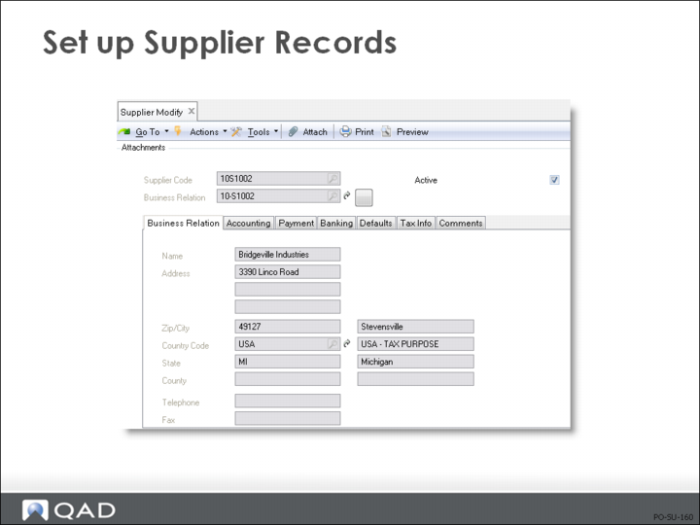
Business relations for suppliers should have already been set up.
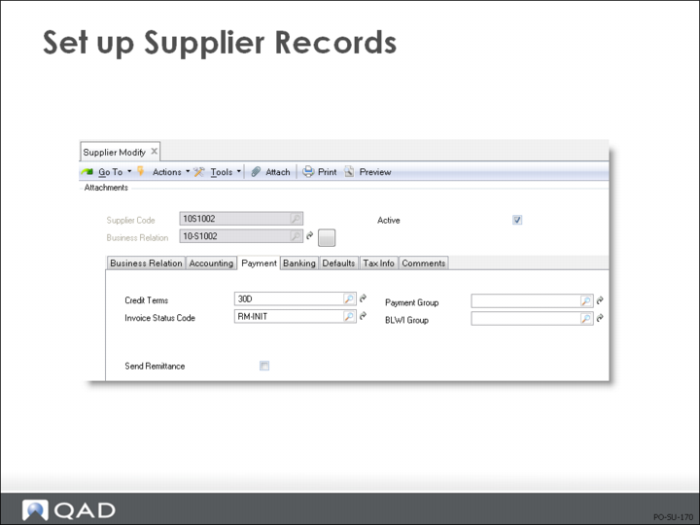
The credit term code created in Credit Terms Maintenance functions and entered here becomes the default on purchase orders and invoices for this supplier.
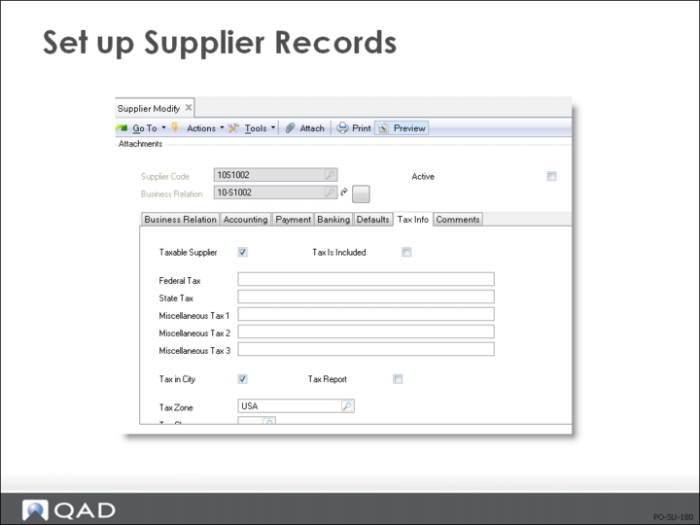
Tax ID information prints on tax reports and other selected documents, such as orders and invoices, where it is required by law.
• In some countries, you can use the same tax IDs for all company locations in the country, state, or province
• In others, you must set up a separate address record so that you can specify a separate tax ID for each address and site
Example: In Canada, all ship-to addresses for the same customer use the same tax ID, but in Brazil, each ship-to address has a separate tax ID.
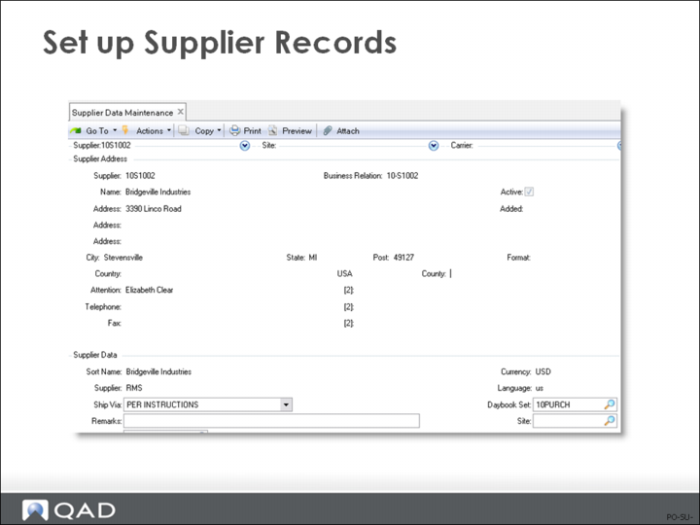
Supplier Data
Sort Name
Name used when sorting addresses for reports and inquiries. This defaults from the supplier name entered when the supplier is first added
Type
Selects groups of suppliers for reporting, particularly for purchase order reports. Validated against predefined values entered in Generalized Codes Maintenance (36.2.13), if any
Ship Via
• Default on all purchase orders and blanket orders for this supplier, can be changed manually during order entry
• Prints on formal documents such as purchase orders, blanket orders, receivers, and return documents
• Validated against predefined values entered in Generalized Codes Maintenance (36.2.13), if any
Remarks
• General remarks pertaining to this supplier, usually to the order or shipping process
• Default remarks on all purchase orders and blanket orders for this supplier, can be changed manually during order entry.
• Print on formal documents such as purchase orders, blanket orders, receivers, and return documents