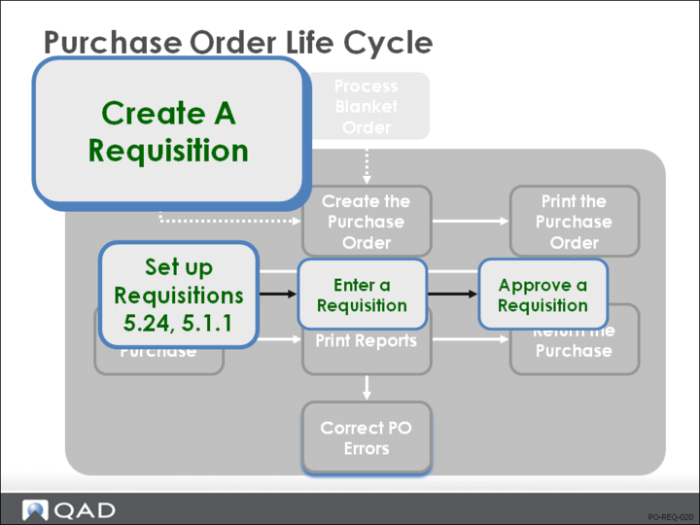
Set Up Requisitions
Requisitions are optional.
• Planned purchase orders, which come out of MRP, become requisitions when approved by a planner
• Requisitions can also be created manually
• In both cases, they can then go through an approval process
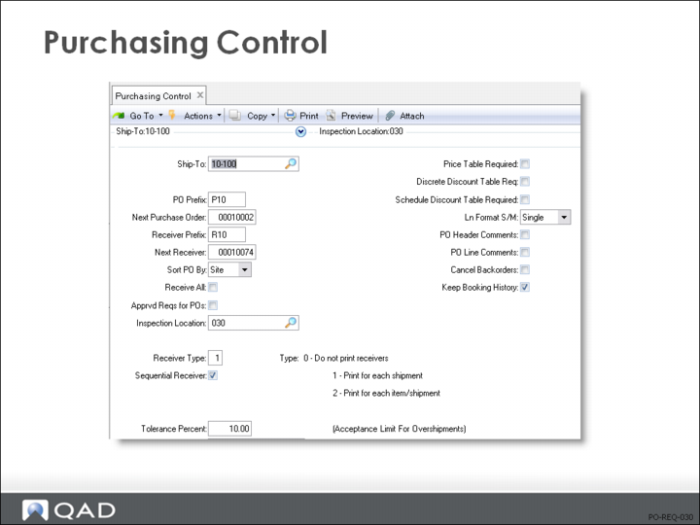
Purchasing Control
Approved Reqs for POs
Specifies whether purchases must be approved prior to entering a purchase order
• Yes = you are using purchase approvals. Prior to entering a purchase order, a requisition is entered, printed, and approved. The system calculates a required approval level for any purchase requisition, whether it is manually generated or created by MRP
Requisitions requiring approval cannot be referenced on a purchase order or blanket order until they have been approved.
• Approval codes can have up to four levels of people required to approve a purchase requisition, depending on the purchase cost. Approval amounts can be calculated by site, product line, person requesting, and purchase account (for non-inventory items)
• Approval information is printed on requisitions waiting to be approved. When approvals are entered, an appropriate approval code must be recorded
• It is not necessary to use purchase approvals for everything you buy
Only set up approval codes for things that require an approved requisition prior to purchasing. For example, you can require approvals on all capital equipment purchases but not on raw materials
• If no approval code exists for the site, product line, purchases account, or requested by entered on the PO, you will not be required to go through the approval process
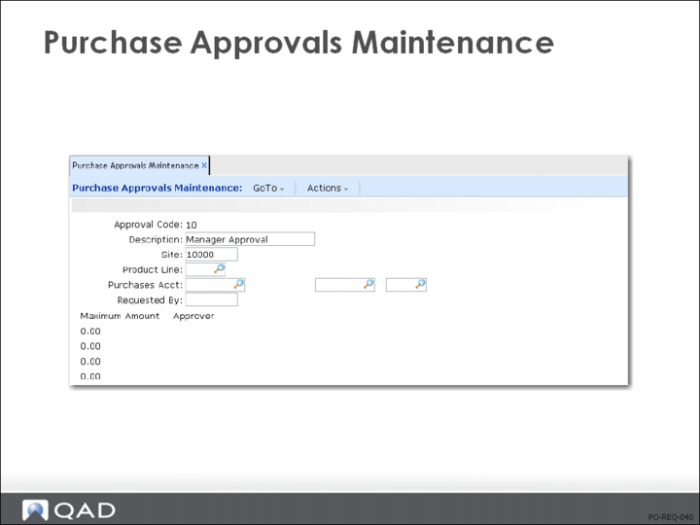
Purchase Approvals Maintenance
• Purchase approval codes allow you to control the amount of money a person can spend
Codes defining sets of spending levels can differ by Site and Product Line
Noninventory purchases can differ by the General Ledger Purchases Acct and Requested By
• If purchase approval codes exist, they are automatically assigned to purchase requisitions
• For inventory requisitions, the system assigns an Approval Code by looking for a match in the following order:
Site, Purchases Acct/CC <blank>, the Product Line of the item, and Requested By
Site, Purchases Acct/CC <blank>, the Product Line of the item, and Requested By <blank>
Site, Purchases Acct/CC <blank>, the Product Line of the item <blank>, Requested By
Site, Purchases Acct/CC <blank>, the Product Line of the item <blank>, Requested By <blank>
If no match is found, no Approval Code is assigned; the requisition is flagged as Approved
• For noninventory requisitions, the system looks for a match as follows:
Site, Purchases Acct/CC, the Product Line of the item <blank>, Requested By
Site, Purchases Acct/CC, the Product Line of the item <blank>, Requested By <blank>
Site, Purchases Acct/CC <blank>, the Product Line of the item <blank>, Requested B
Site, Purchases Acct/CC <blank>, the Product Line of the item <blank>
If no match is found, the system approves the requisition.
• If an Approval Code is assigned, the requisition cannot be referenced on an order until it is approved in Requisition Approval Maintenance (5.1.16)
The amount determines the person who should approve it
Since clerks often enter the actual approval, the system saves both the approver code and the user ID of the person who enters the approval
• If an approval code exists and Approvals Required = Yes in Purchasing Control (5.24), the purchase order must reference an approved requisition
If Approvals Required = No, a purchase order without a requisition can be entered
If requisitions are used, only approved requisitions can be entered in the purchase order
• If approvals are needed only for some sites, or some product lines, set up approval codes for those only
The requisition approval is not a control; it is simply a way of recording and tracking who approved a requisition
Controls for requisition approval are provided using formal procedures outside of the system