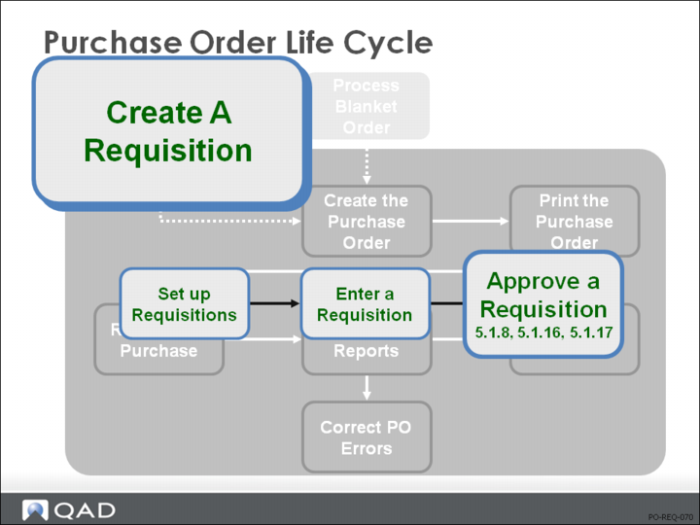
Approve a Requisition
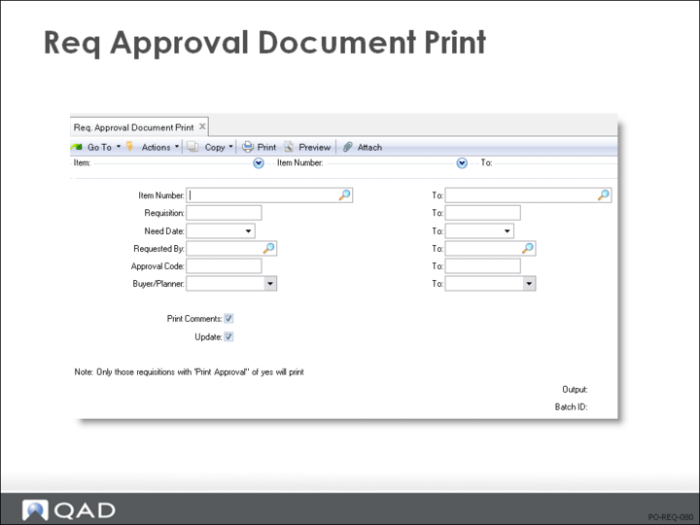
Req Approval Document Print
• Before a purchase takes place, it may need to be approved; an approval document helps manage this process
• Requisitions are listed by Approval Code, then each requisition prints with a space for approval signatures
• When using requisitions and approvals to control the purchasing process, approval documents are printed and circulated for review and sign-offs
• Once the required signatures are gathered, the requisition is approved and sent to purchasing
• When an unapproved requisition prints, the system sets Print Approval to No. Unless you reset this field, the requisition will not print on the next approval document
• To reprint an unapproved requisition, if the requisition information has changed, set Print Approval to Yes in Purchase Requisition Maintenance (5.1.4)
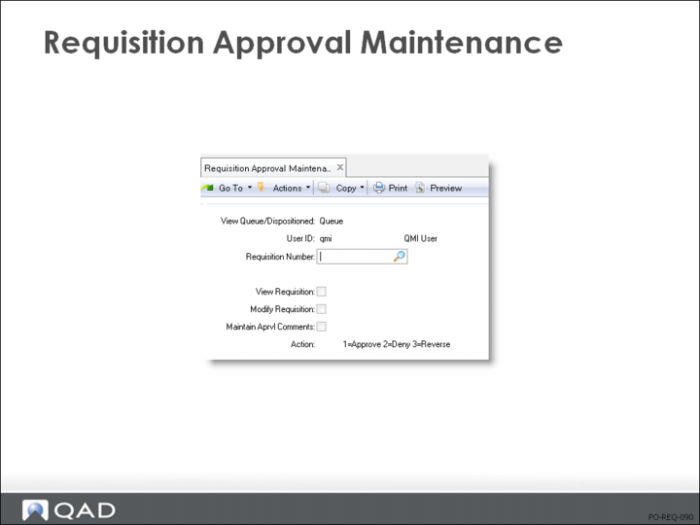
Requisition Approval Maintenance
• Recording a Requisition approval indicates that the approver have reviewed the requisition and approved it for purchase
• There are three parts to the screen:
First frame: select the requisitions to review: all those for a particular Approval Code or Approver
Middle frame: displays the selected requisitions
Bottom frame: specify which requisitions you approve
• The purchase approval cycle goes through the following steps:
Requisitions are entered
An approval code is assigned automatically based on the Site, Product Line, Requested By, and Purchases Acct
Unapproved requisitions are printed and circulated for management approval
Approvals are recorded
Approved requisitions are printed
Purchase orders are entered
• Multiple levels of approvals can be required, depending on the Requisition Amount
• When approvals are entered, the system keeps track of just the last one
• Only when the highest required approval is entered is the requisition flagged as Approved, and only then can you enter a PO for this requisition.
• If you enter an approval by mistake, use Purchase Requisition Maintenance (5.1.4) to remove it
• This function should be password controlled
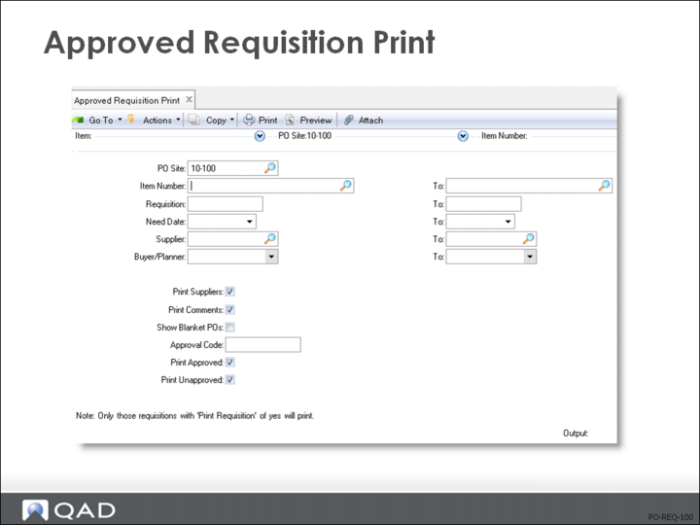
Approved Requisition Print
• Allows Purchasing to review all requests prior to issuing a PO
• This is particularly helpful when multiple sites are submitting requests
• Requisitions are listed by Item Number
• Optionally, can also include a list of supplier quotes and a list of any open blanket orders
• When using approvals, requisitions are printed by Purchasing only after they have been approved
They are printed at the PO site: where the PO is to be entered
Approved Requisition Print lists all requisitions for the designated PO site, including requisitions entered at other sites in the network
Approved Requisition Print sweeps all connected databases looking for requisitions
• When a requisition prints, QAD Enterprise Applications sets Print Requisition = No in Purchase Requisition Maintenance (5.1.4). Unless you reset this field, the requisition will not print again
• To reprint a requisition, set Print Requisition = Yes in Purchase Requisition Maintenance (5.1.4)