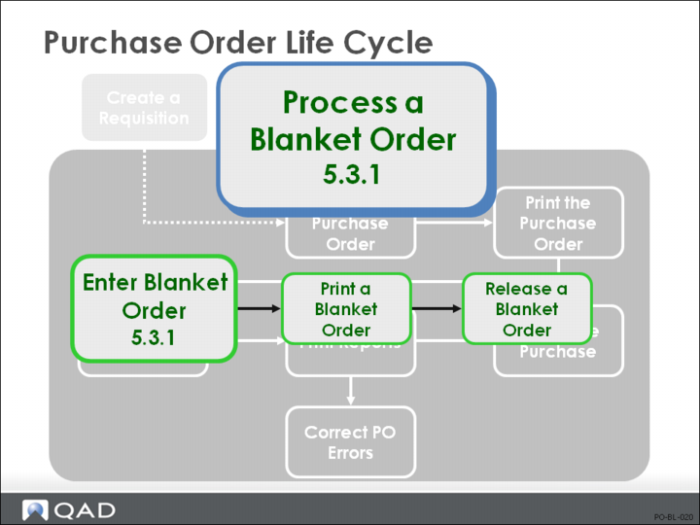
Blanket Order Flow
Blanket Order Maintenance
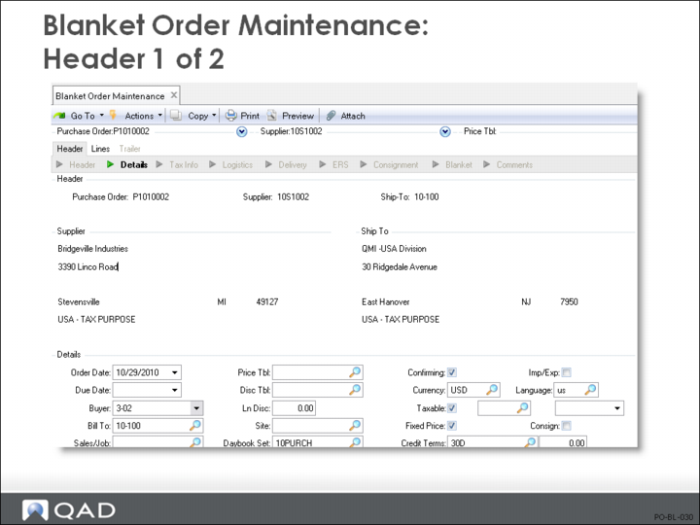
Header
• Once you enter the header, the order is stored on the system even if you do not enter any line items
• The order header includes the Supplier, Ship-To, Credit Terms, Currency, Exch Rate, and other general order information
• You are prompted to enter comments only if the Comment field = Yes on the header or line item frames
Unlimited comment text can be entered, with up to 99 pages, each designated as printing or non-printing
• Set up a blanket order in either of two ways:
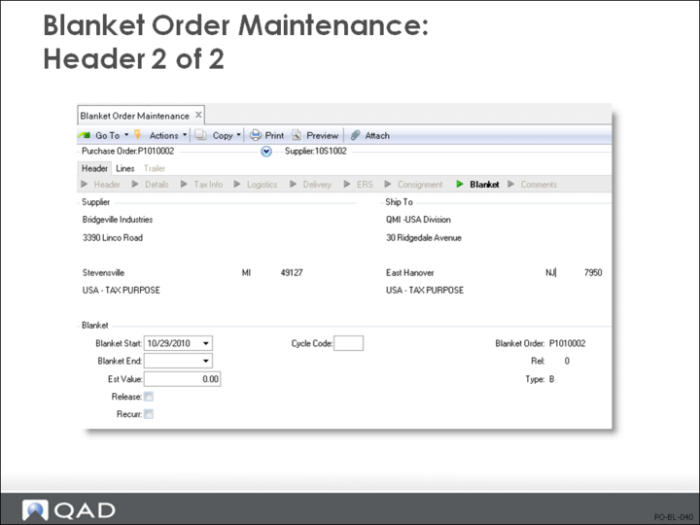
Irregular: when deliveries are irregular or of varying quantities, set Release = No and Recurr = No
When you need a delivery, set Release = Yes and enter the Receipt Qty in Blanket Order Maintenance (5.3.1), then run Blanket Order Release to PO (5.3.6)
Recurring: when deliveries are regular, recurring, and of the same size, set Recurr = Yes and Release = Yes and Receipt Qty to the normal delivery size
Cycle Code
Specifies the frequency with which purchase orders are released from this blanket order
• MO = monthly releases
• WK = weekly releases
• DA = daily releases
• This field can also be left blank
• When a delivery is to be released against an outstanding blanket order, the system can automatically generate the purchase order from the blanket order. When you need a delivery, set Release = Yes and enter the Receipt Qty in Blanket Order Maintenance (5.3.1), then run Blanket Order Release to PO (5.3.6). It only considers blanket orders flagged with Release = Yes and the specified Cycle Code, if any
• Purchase orders are released with all the blanket order information
• Purchase order lines are created for any blanket order line with a non-zero Quantity to Release
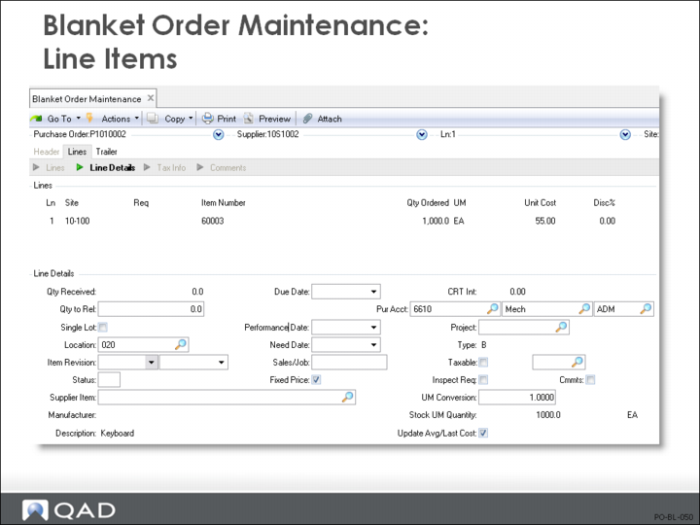
Line Items
• If you fill in the optional Req number, the system fills in the Item Number, Qty Ordered, UM, and Purchase Cost
• If you enter your item number, the system displays the GL material cost
• If you enter the supplier’s item number, the system accesses data in Supplier Item Maintenance (1.19) and Price List Maintenance (1.10.1.1) to display the Purchase Cost quoted for that order quantity
• You can enter line items in single- or multiple-line mode
Specify the default in Purchasing Control (5.24)
More data, such as Due Date and Location, can be entered in single-line mode, but multiple-line entry is quicker
You can switch between the two within an order.
• Blanket orders can be for inventory or non-inventory items, but not for subcontracting
• Delivery receipts can be processed only against a PO, not a blanket order
• When you need delivery, enter the quantity to release for each line in Blanket Order Maintenance (5.3.1) and set Release = Yes and run Blanket Order Release to PO (5.3.6)
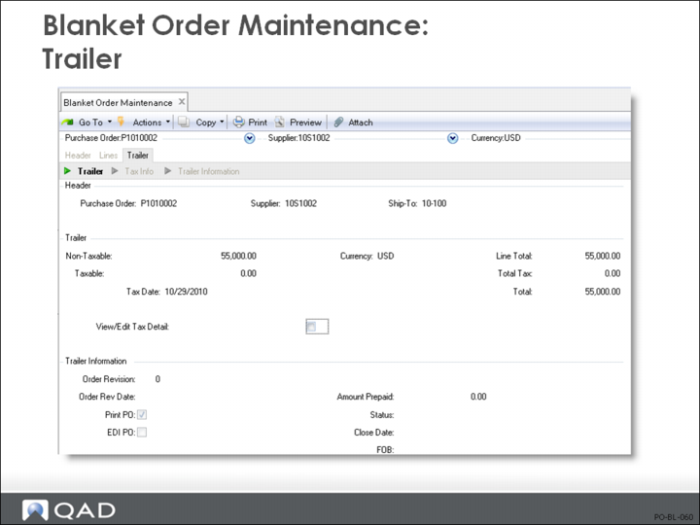
Trailer
• Once all line items are entered, the system displays trailer information, totaling line items and calculating taxes