Set Up Inventory Locations
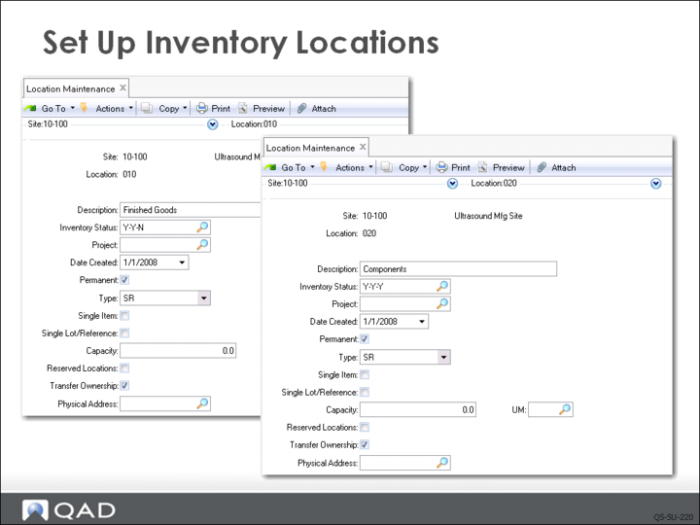
QMI has set up three locations in Location Maintenance (1.1.18) to subdivide site 10-100, two shown in this slide and one in the following:
• 010 is for storage of finished goods, The Finished Goods location uses the default inventory status code Y-Y-N from the site record.
• 020 is for components. Its inventory status is Y-Y-Y.
Check the Permanent field to ensure your locations do not disappear from the records when they are empty.
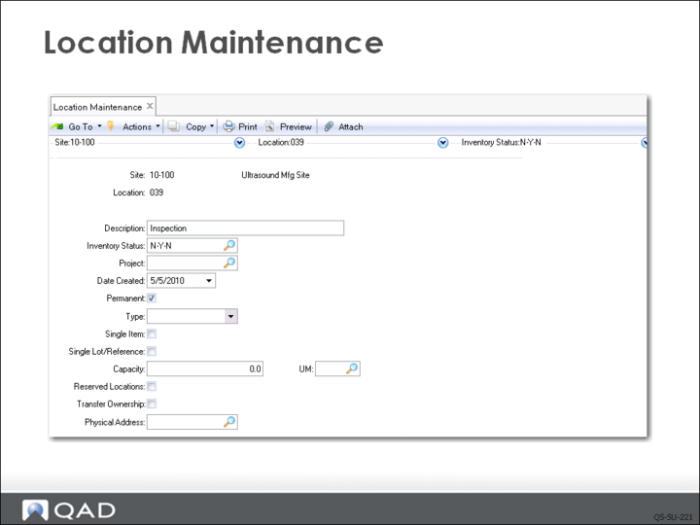
An additional location is set up called Inspection to be used for material that is of questionable quality and requires further evaluation. This location has the status code N-Y-N.
Define an inventory location for every place your business stores inventory items. If you store pallets, or drums of raw material in the parking lot, the parking lot needs to be a location. If the supervisor keeps a safety stock of small items in a desk drawer, the drawer needs to be an inventory location.
Additional Notes
You must associate an inventory status code with every location. By default, this is the inventory status from the site record.
In this course, the other location attributes are left blank, but their usefulness should be evident.
• The Type code lets you indicate unique storage locations such as tanks, silos, and refrigerators. The item master can specify a location type for an item. During inventory transaction, the system ensures that the type of the receiving location matches the type of the item.
• Checking Single Item prevents the user from adding a different item to a location that already has an item in it. For example you cannot add olive oil to a tank that currently has vinegar in it.
• Checking Single Lot/Reference prevents adding a different lot number of an item to a location that already has a lot of material in it. For example you cannot add lot 3 olive oil to a tank that already has lot 2 olive oil in it.