Set Up Item Status Codes
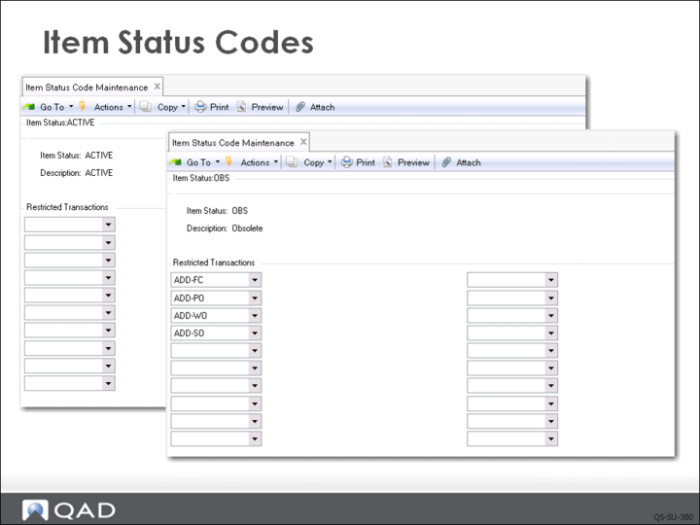
Item status codes are optional but a very useful feature. The codes are designed to relate to an item’s life cycle. This example shows two codes: one for active items and one for obsolete items.
The first image displays the Active code and the second displays the code OBS for obsolete items. For the obsolete item status, several inventory transaction codes are prohibited. The codes are selected by clicking on the lookup icon. Those selected in the example prevent users from adding a forecast, a purchase order, sales order, or work order for any item with the status code OBS.
Item status codes are user defined and you can set up as many as you need. Used in conjunction with inventory status codes, they offer powerful control for your items.