Set Up Product Structure
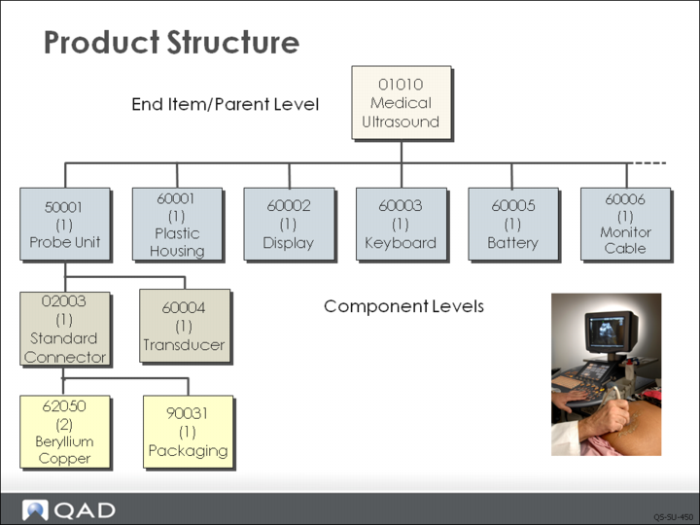
Look at the product structure for 01010 again.
This example continues by showing how QMI added component items to the parent, 01010.
Set Up Product Structure
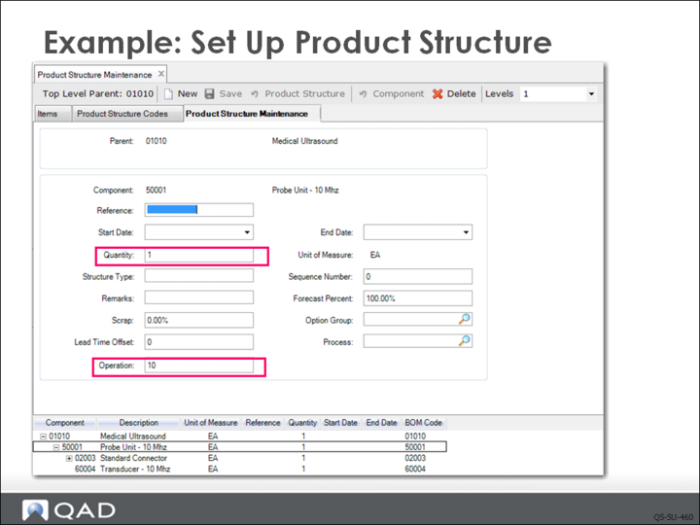
In Product Structure Maintenance (13.5), you click New to begin creating a product structure. After you select the parent item from the list of items by double-clicking, you can begin adding components. You add them the same way by finding them in the list and double-clicking to add them to the structure.
After the item is added, you can double-click again to display the data associated with the component item in the structure (shown above). You can modify the Quantity Per field by entering the number of the component item required to make one of the parent item. You can also add the operation number from the routing where this component will be used. This item is used at operation 10. When data entry is complete for the first component, double-click the next component item you want to modify.
Component Scrap. The field labeled Scrap can be used to account for component scrap. For example, the beryllium copper component in the product structure is a very small item, easily dropped and lost, or found to be damaged. In this case, based on actual experience, you can choose to add a small scrap value to the product structure at this operation. Later, you will see how the planning systems adjust the purchase requirements (and the item cost) to account for this loss.
Effective Dates. The elements that make up a product structure have a range of effective dates, so new components can be phased in and others phased out. The Start Date defaults to the system date. By leaving the End Date blank, the item remains effective until that date is changed.
Review Product Structure Inquiry
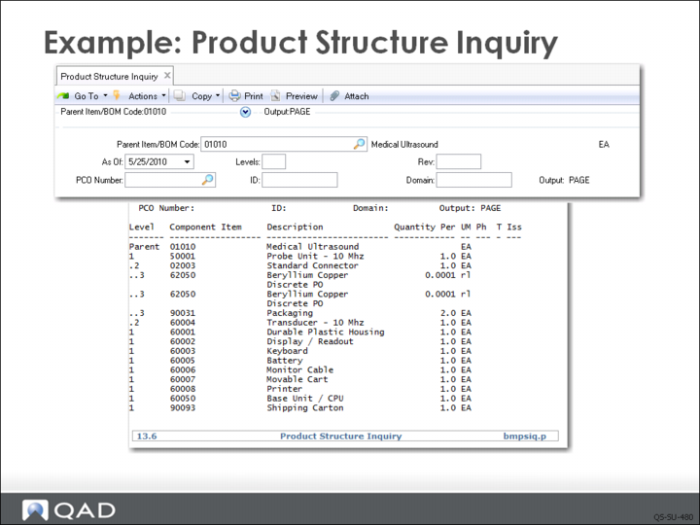
Once the product structure is defined, it can be reviewed in Product Structure Inquiry (13.6). The screen above shows the request setup and the inquiry output.
The parent item—the ultrasound—is listed first, and the component items are listed below it using an indented structure that indicates the level of the item in the product structure.
You can quickly see key information, such as unit of measure for each item and the quantity required to make one complete device.