Verify Purchasing Control Settings
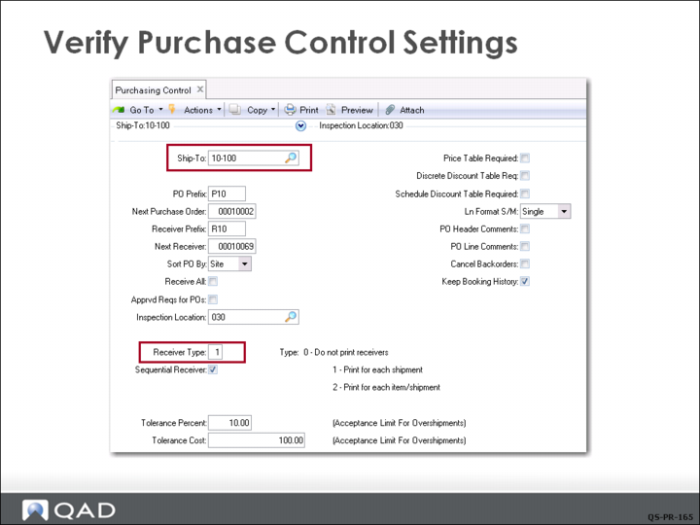
The settings in Purchasing Control (5.24) affect the purchase process. The Ship-To field is the default site code where most shipments are received. The site code is linked to QMI’s company address record. This lets the system print the ship-to address on all purchase orders. The ship-to address can be modified on each purchase order line if necessary.
The PO Prefix field is set to P10 and Receiver Prefix to R10. Since the Receiver Type is set to 1, each line item on the PO will generate a receiver, so receiver numbers will index differently than PO numbers.
All the fields on the right except Keep Booking History are unchecked.
The tolerance fields set the limits for overshipments. The settings indicate that any item receipt with a count 10% greater than the PO quantity or a value of 100 currency units greater than the PO value will be rejected.
The single entry line format lets you customize due dates, sites, tax statuses, and other information for each line item on a purchase order. Multiple entry lets you enter basic information such as item number, quantity, and price for several lines on a single screen.
PO header and line comments are used when you need to add significant detail to either a purchase order header (referring to the entire order), or to line item detail (applies only to the specific line). The control settings set the default for each new order.