Create Purchase Order
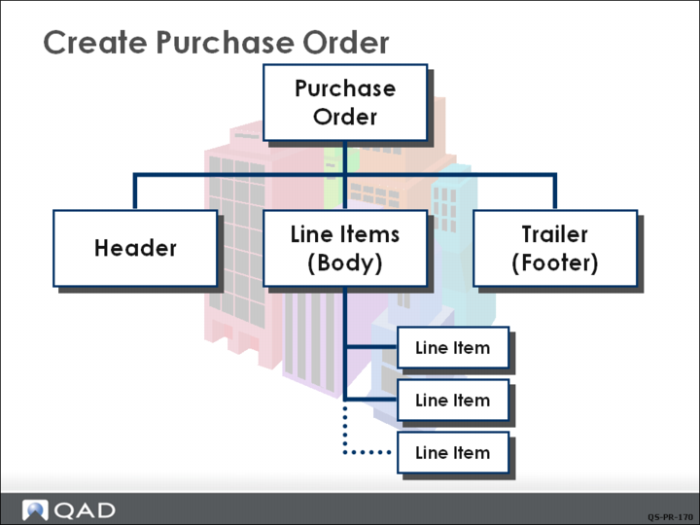
Before beginning to create the PO, remember the three key elements of the purchase order:
• The header contains data that applies to the entire order.
• The line items detail the specific items being purchased.
• The trailer records the final data applying to the entire order such as taxes and shipping charges.
Enter Header Information
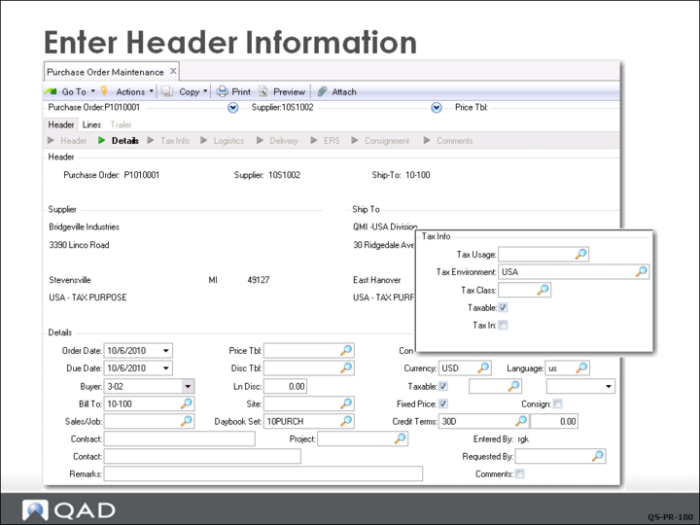
In Purchase Order Maintenance (5.7), QMI’s buyer enters a purchase order for the components required to build 10 medical ultrasound units.
The first part of the order has header information such as PO number, assigned by the system based on the prefix and number set up in Purchasing Control; the supplier name, Bridgeville Industries; ship-to address, QMI receiving site 10-100; credit terms; currency; tax information; and order and due dates (both default to today’s date). In this example, the system automatically generates the purchase order number; however, you can assign PO numbers manually.
Note: Setting the due date on the order header sets the default due date on all line items. If you know all the line items will have different due dates, or if you are using requisitions that have the due date, you can leave the header due date blank.
The tax information pops up in a separate window when you click Next or press Enter after completing the header screen. This data defaults from Global Tax Management and is not normally modified in Purchase Order Maintenance. Accept the defaults and click Next to advance.
Questions
Some of the information that was set up in Supplier Maintenance and Purchasing Control is now seen in the order created:
• What default information came from the supplier record (Supplier Data Maintenance)?
• What effect do the Purchasing Control settings have?
Enter Line 1 Data
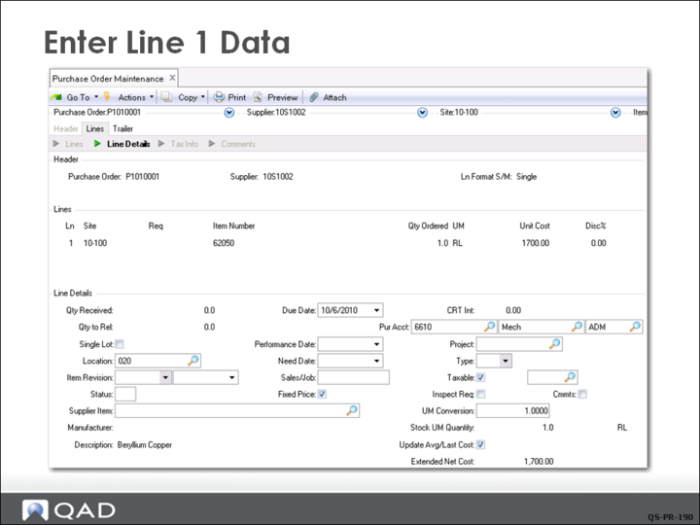
For line 1, QMI’s buyer enters an order for 1 roll, item 62050. The unit of measure and unit cost information default from the information entered earlier in Item Master Maintenance.
Additional Notes
Each line specifies a particular item being ordered, its order quantity, and price. Line details include any exceptions to header information, such as a delivery date or receiving site, that apply to this line item only and not the whole order.
The format for PO lines was set to single line entry in Purchasing Control. This format shows us one line item at a time with all the detail in the frame below. This lets you verify the data that has defaulted, and modify any data you need to change. Once the four items are set up on the PO, you look at the PO in multi-line format to see what that looks like.
Questions
Look at some of the other default information. Where does the following default information come from?
• Location
• Pur Acct
Enter Line 2 Data
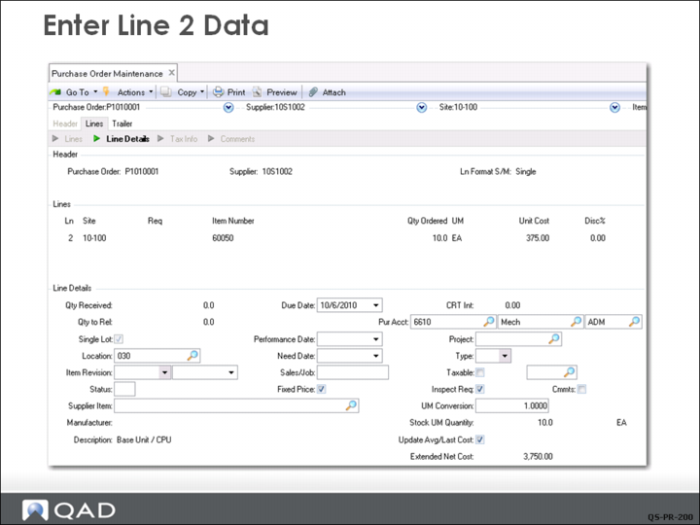
For line 2, the buyer enters an order for 10 CPUs 60050. Note that the system fills in the unit cost of $375.00.
Enter Line 3 Data
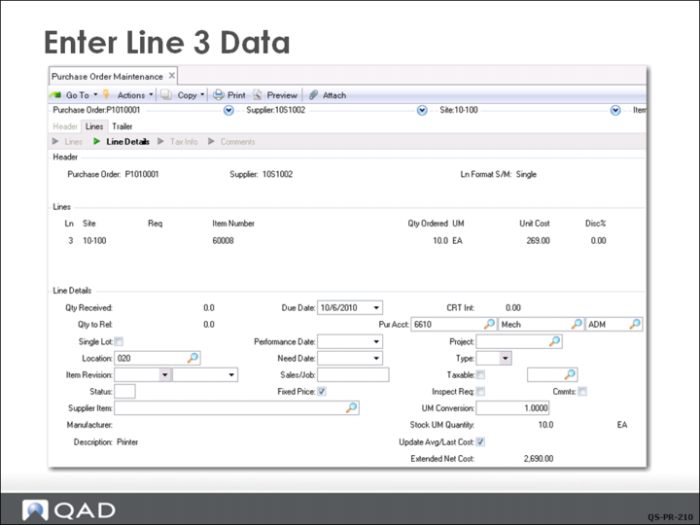
For line 3, the buyer enters an order for 10 printers (item 60008).
Enter Line 4 Data
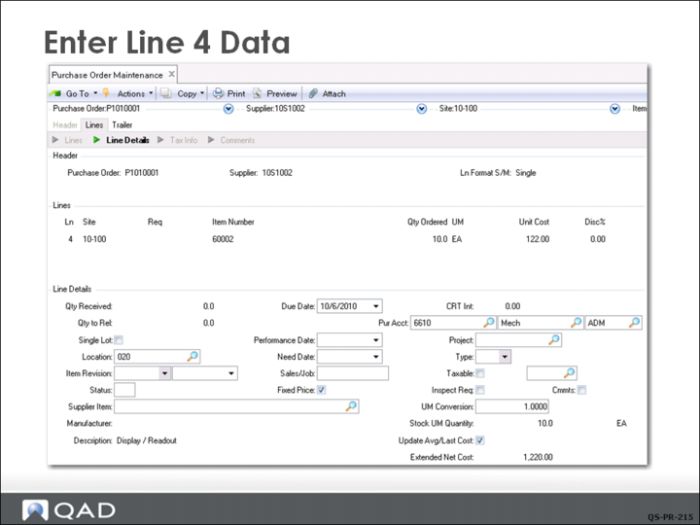
For line 4, the buyer orders 10 each of the display/readout, item 60002.
Enter Trailer Information
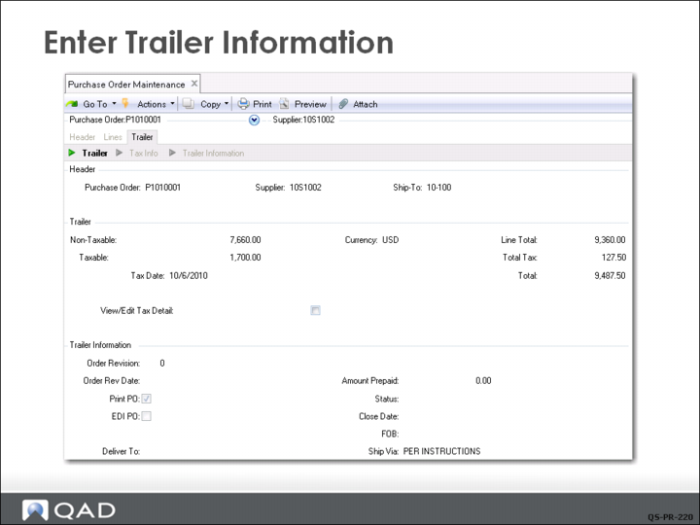
The last frame shows the trailer information, which contains tax and order status information for all line items. The 9,487.50 is the total value of the four line items on this order plus tax. Note the order is selected for printing.
If you change the order, the system prompts you to update the revision number. You would normally do this to keep track of how many changes have been made to the order.