Receive Items
Bridgeville Industries, the supplier, includes a packing list with the shipment. This document includes QMI’s purchase order number, their sales order number, QMI’s ship-to address, their ship-from address, items and quantities ordered, items and quantities shipped, and other information, such as any back orders. This order is marked that it must be shipped complete.
The receiving transaction has a field to include the packing slip number your supplier provides.
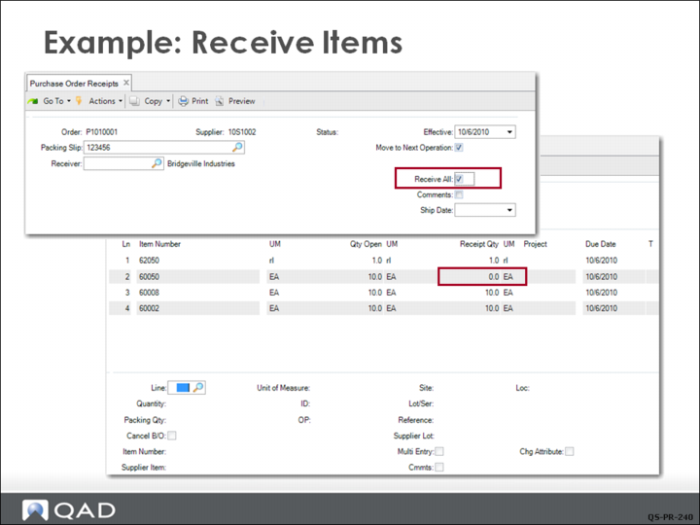
Bridgeville Industries has delivered all of the items ordered by QMI. Using Purchase Order Receipts (5.13.1), the Receiving Department records the delivery by first entering the purchase order number, which identifies the line items and the quantity open (ordered but not received), and then by entering the packing slip number.
Since the packing list indicates the order has been shipped complete, receiving personnel can save a few steps by checking Receive All. This prefills the transaction frame with all the information needed to process the receipt.
However, one item on the order (620050) is serial-controlled, so the system cannot automatically process its receipt and the Receipt Quantity defaults to 0. The receiving clerk checks Multi-Entry and enters the serial number of each item received. If the numbers are in sequence, the system generates them based on the first number entered.