Define Control Settings
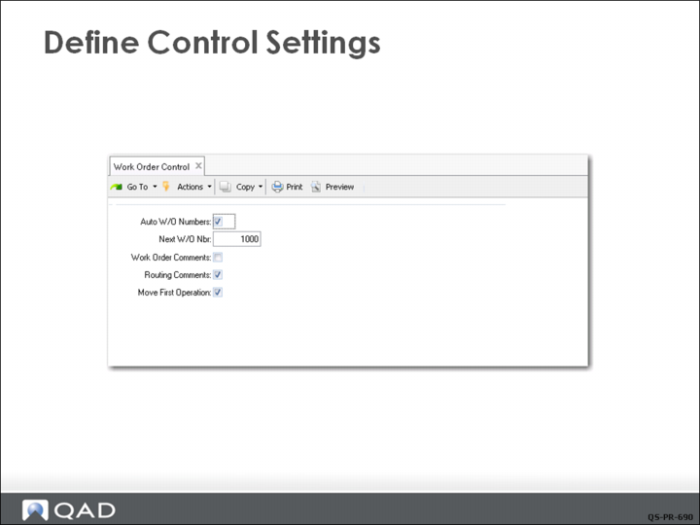
QMI’s Production Manager has configured Work Order Control (16.24) settings so that:
• Work order ID numbers are automatically generated by the system.
• The next number generated will be 1000.
• The routing comments is checked.
• The work order release function sets the status of the first operation to Queue (Move First Operation selected).
Move First Operation
This field is typically set to Yes. The released order then appears on the dispatch list for the specified work center and the Queue status indicates it is waiting to be started. If a lengthy picking effort is required, the work order may not be ready as soon as it is released. In that case, this field would be set to No. Operation Move would be used to change the status later.
Work Order and Routing Comments
The comments screens are always available and can be invoked for any work order as needed. The selection here, if checked, would bring up the comments screen automatically for every work order. This is useful if internal procedures require the use of comments for some reason on every order. In many cases, comments are only used occasionally and is selected as needed.