Work Order Component Issue
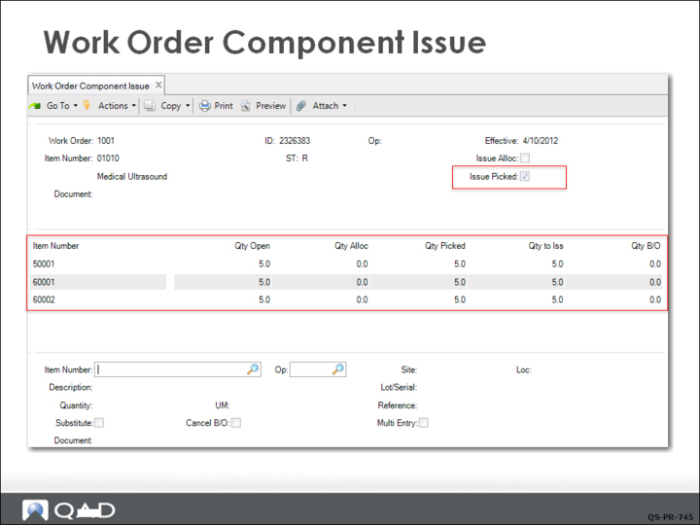
The released work order is now in the stock room to have the components issued. QMI stock room personnel will use Work Order Component Issue (16.10) to do this using the work order number as shown here. Since this will be a standard component issue, check the Issue Picked box. The system ten uses the work order bill of material to retrieve the detail item allocation information generated when the work order was released.
In this example, all components were picked from the locations printed on the work order picklist, so they can be issued automatically by setting Issue Picked to Yes. This reduces manual entry because it sets the default sites, locations, lot/serial numbers, references, and quantities from the detail allocations on the picklist. To proceed with the transaction, click Next.
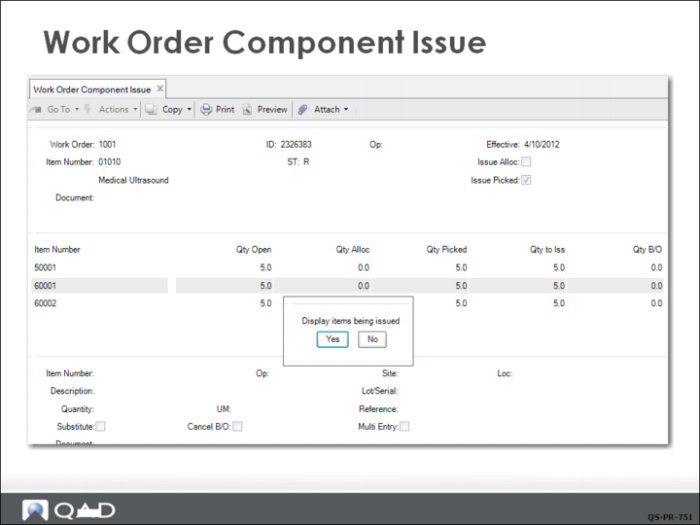
Display Items Being Issued
A dialog box prompts if you want to see the issue transaction. Click Yes.
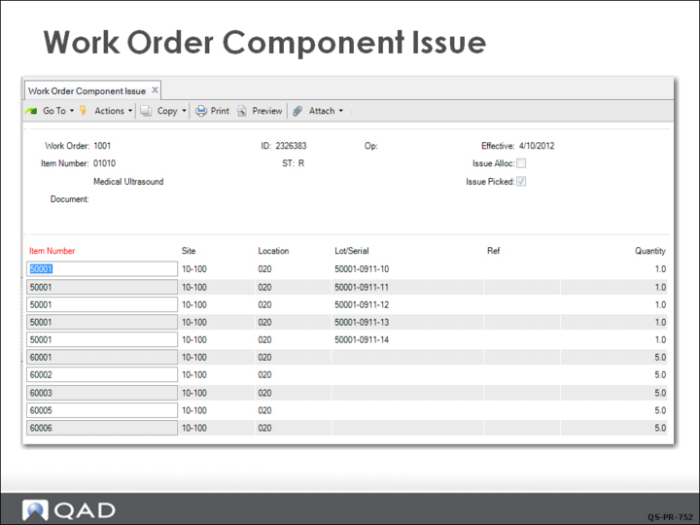
This screen shows the actual inventory transactions that are about to be made, including item number, site, location, and quantity. If all is correct, click Next to bring up a final verification.
If all is correct, click Yes and the inventory transactions are updated.
Click No to return to the transaction frame to make corrections. Completing this transaction removes the components from the inventory location and issues them to Work in Process (WIP) at the GL standard cost. The work order and the component items are now delivered to the first work center on the route for assembly to begin.