Review Work Order Route Operation Status
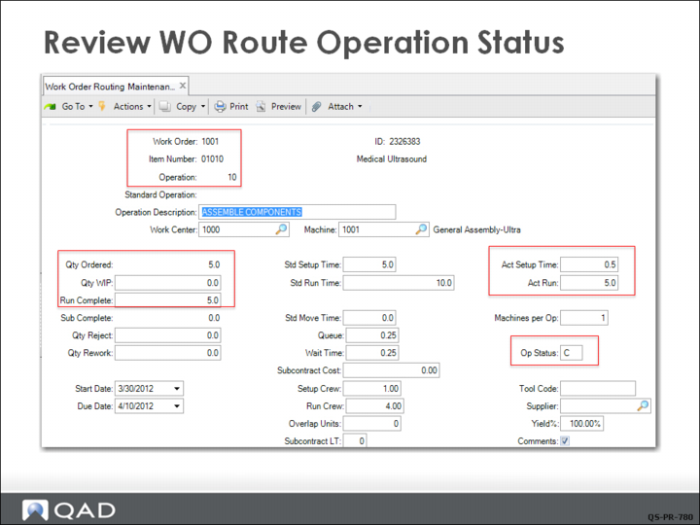
When the Production Manager created work order 1001 in Work Order Maintenance, the system automatically generated a work order routing. This routing tracks the status of each operation and the quantities recorded complete at each operation. It also shows the actual setup and run times.
This screen shows that Operation 10 is complete (Op Status = C). No units of 01010 are in process at this operation (Qty WIP = 0.0), and 5 have been completed (Run Complete = 5.0).
If you reviewed operation 20, you would see that its status has been changed to Q (Queue).
If additional changes to operation 10 reporting are needed, you can use Work Order Routing Maintenance to change the operation status from C (Complete) to R (Run), allowing additional labor reporting to be done.