Invoice Management
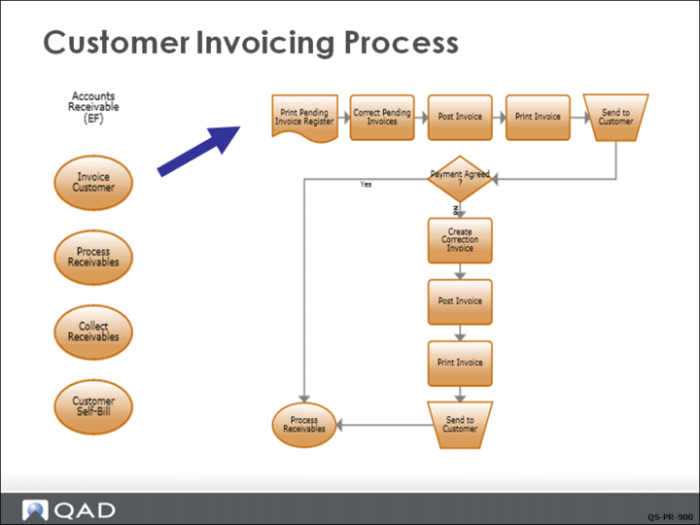
A sales order shipment automatically creates a pending invoice. While in the pending status, changes can be made to fields such as credit terms, commission percentage, price, and discount.
After a pending invoices is reviewed, it can be posted and printed. Post and print are combined in QAD EE; only a posted invoice can be printed. However, a preview function lets you see what the invoice looks like before you print it. You can select invoices to process by specific sales order number or range of numbers, or by a shipping date or range of dates. The date on the invoice is the system date unless you change it.
Posting assigns a number to the invoice based on daybooks and daybook sets defined during financial setup. Daybooks support assigning different invoice sequence numbers for each site, and different numbers for sales invoices and strictly financial invoices.
The post function updates the customer’s open account balance and also updates GL account balances for Sales and AR, salesperson quota and commission history, sales tax journals and sales analysis history
Posting deletes complete sales orders. However, you can use invoice history to reviewing problems, configured product information, or reprinting invoices.
If the customer disagrees with any aspect of the invoice, a correction invoice can be created, which is linked to the original invoice, and then printed and posted to correct account balances and maintain an audit trail of changes.