Define Control Settings
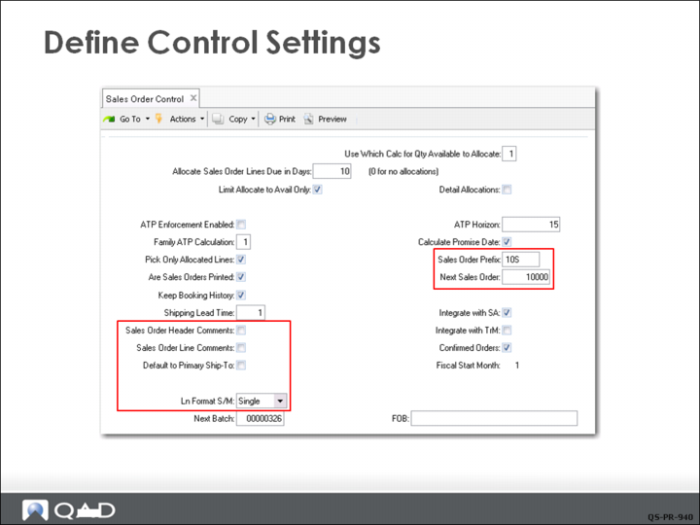
In Sales Order Control (7.1.24), QMI has specified several standards and default settings pertaining to its sales orders:
• The default value for allocations in Sales Order Maintenance is general, since Detail Allocations is not selected.
• Sales orders have a prefix of 10S and the next number to be issued is 10000. (Your database may have a different starting number.)
• Sales order data is integrated with the Sales Analysis (SA) module because Integrate with SA is selected.
• On new sales orders, the default value will be confirmed for shipment since Confirmed Orders is selected.
• The default format for sales order line-item entry is Single (instead of Multiple), which lets QMI customize due dates, sites, tax status, and other information for each line item.
Define Control Setting
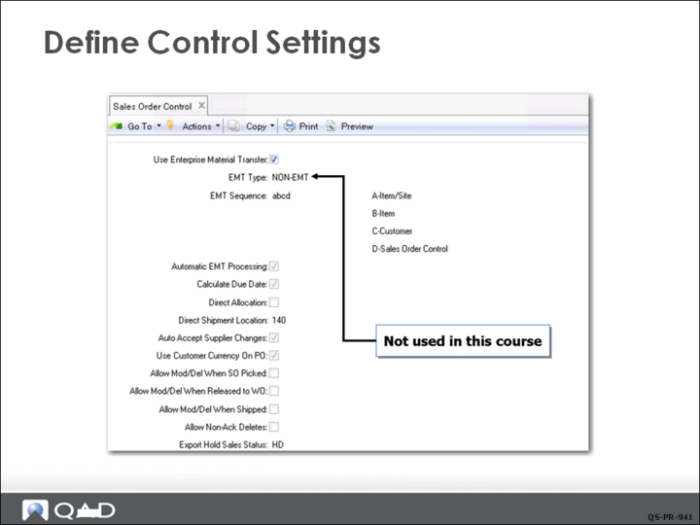
The next frame in Sales Order Control is used to complete the setup for Enterprise Material Transfer, which is covered in a separate training course.
Define Control Settings: Forecast
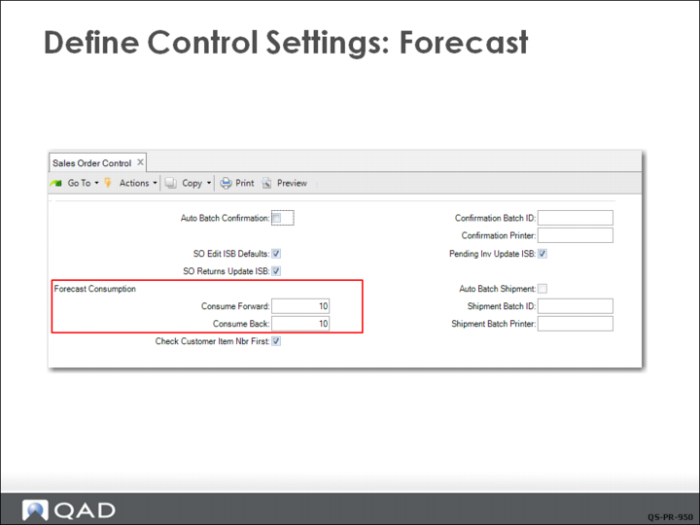
In the final frame of Sales Order Control, QMI has set forecast consumption to consume forward 10 periods and back 10 periods. How this is used by the system is discussed in the section on planning and forecasting.