Enter Sales Order: Header Information
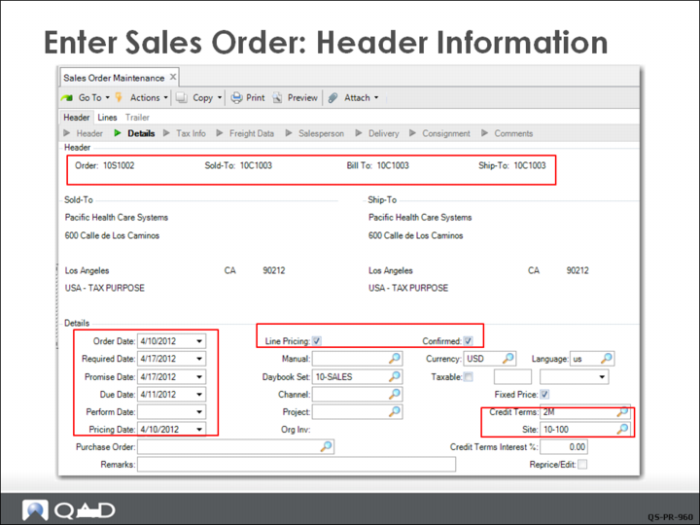
QMI’s CSR enters a sales order for Pacific Health Care Systems (10C1003) in Sales Order Maintenance (7.1.1).
The CSR lets the system generate the sales order ID, which has a prefix of S10 based on the Sales Order Control setting. Other information defaults from the Sales Order Control also, such as site 10-100 and Confirmed for shipment (checked). The credit terms default from the customer record set up by Finance in Customer Create.
Some header elements, such as some date fields, Site, and Confirmed, become default values for line items; these can be changed during line-item entry. The system uses six date fields:
Order Date
The date an order is created; by defaults the system date but can be changed.
Required Date
The date the customer wants the items.
Promise Date
The date you say the customer can have the items.
Due Date
The real due date. In the case of a late order, the due date will be later than the promise date.
Perform Date
The date you will be held to for shipping performance. This is normally the same as promise date. This can change if the customer changes required date.
Pricing Date
Normally the order date, could be the due date. Used by date range based price lists to price items based on the price on a given date.