Print Sales Order
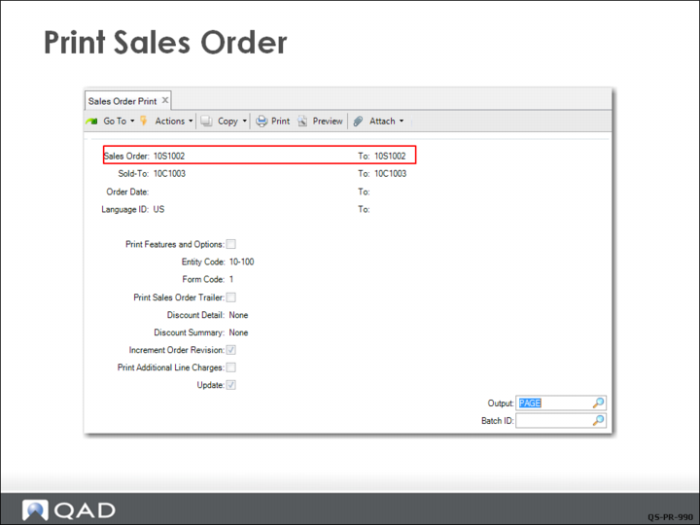
Because the CSR selected Print Sales Order in Sales Order Maintenance, the sales order is available to print in Sales Order Print (7.1.3). As you can see from the print selection screen, you can select sales orders for printing based on a wide selection of criteria.
In this example, by specifying one sales order number in both the From and To fields, only the order just created is selected.
You can also direct the output to Page, which lets you view the sales order on your monitor.
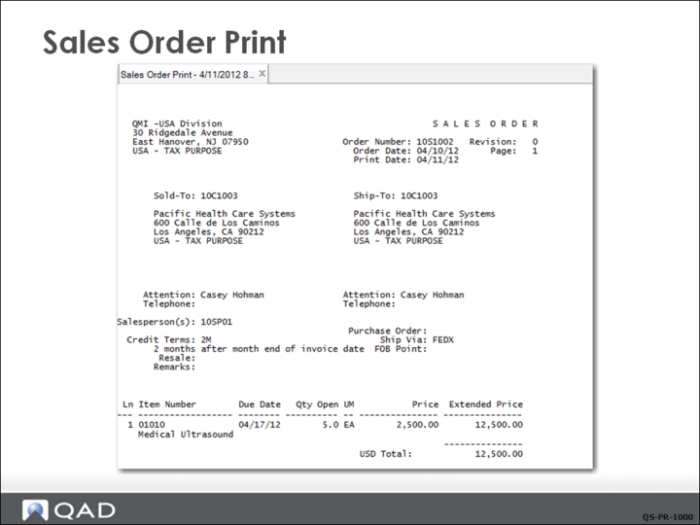
Sales Order Print
A copy of the sales order is shown in this example.
After printing the sales order, the system sets Print Sales Order in Sales Order Maintenance to No. To reprint the order, set Print Sales Order to Yes and reprint using Sales Order Print.