Planning
>
Review Planned Order Report or Browse
Review Planned Order Report or Browse
The QMI planner and buyer have handled the planned purchase orders. Next, the planner focuses on the manufacturing orders.
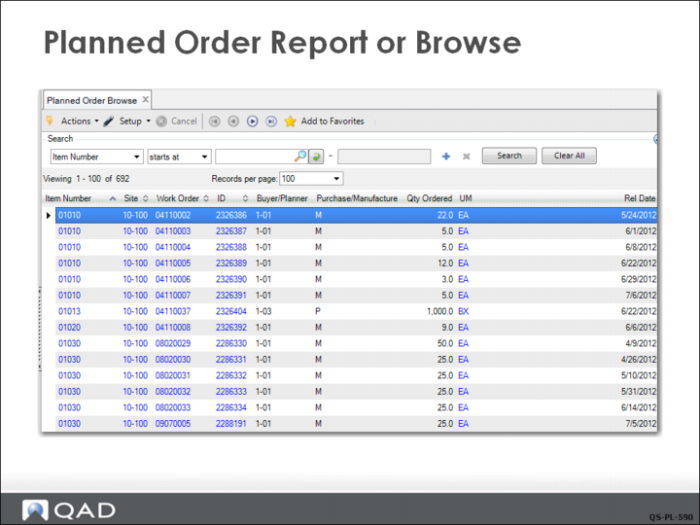
The production control planner checks the Planned Order Report (23.12) or Browse (23.9) to see a list of the orders that MRP has planned but that are not firm planned yet. Once approved, MRP planned orders become firm planned orders. Remember, firm planned orders cannot be replanned by MRP so you do not want to approved MRP planned orders until you are ready to release them.
Note: MRP planned purchase orders, when approved, become purchase requisitions. MRP planned work orders, when approved, become firm planned orders.
The Planned Order Browse shows both manufactured and purchased item planned orders. Note the M, P, or L in the Purchase/Manufacture column.
For this example, the planner decides to release the first planned order.