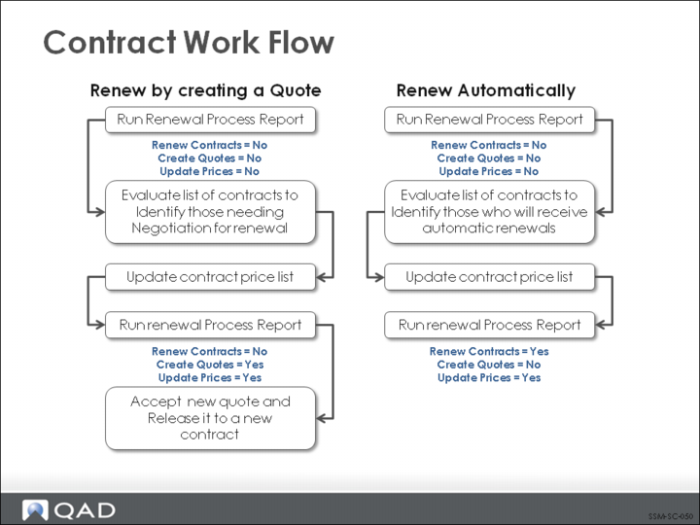
Contract Work Flow
This diagram outlines the stages in the life cycle of a contract.
Using contracts requires initial setup of base service data, contract types and additional charges, if they are used. Many organizations go through a preview process before a contract becomes effective. In SSM, this is accomplished by creating a contract quote, which can be printed and sent to the customer. Once accepted, the quote can be released to a contract.
Contracts can also be created directly in Contract Maintenance, or copied from existing contacts.
Once a contract is created, it remains in effect until the end date on the contract. Contracts that have been fully invoiced can be renewed to extend their coverage for a specified period. This can be done contract-by-contract, or an auto-renew feature can be used to renew expired contracts as a group. Before contracts are renewed, you may choose to create quotes and then release those as renewed contracts.
Fully billed, expired contracts can also be archived and deleted from the system when they are no longer needed. The system checks to make sure that no active calls reference the contract before it is deleted. The delete/archive can also include quotes that have passed the expiration date.