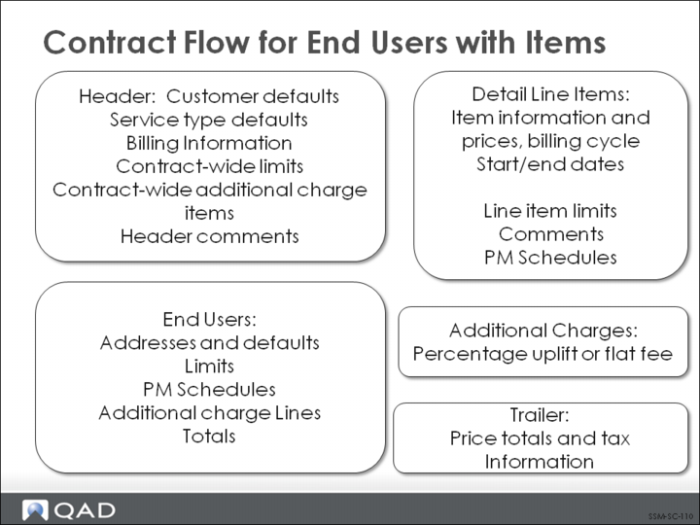
Contract Flow for End Users with Items
The basic flow for contracts when Item End Users is No is the following:
1 Enter the contract header.
2 If Contract Limits is Yes in SSM Accounting Control, optionally copy contract type limits to the contract header.
3 Enter header transaction comments.
4 Specify an end user on this contract and supply end user default information.
5 If Contract Limits is Yes in SSM Accounting Control, optionally copy contract type or contract header limits to the end user.
6 Create end user items and specify associated line-item detail.
7 If Contract Limits is Yes in SSM Accounting Control, optionally copy contract type, contract header, or end user limits to the line.
8 Enter line-item comments.
9 View and modify item PM schedule.
Repeat steps 6 through 9 for each line item associated with an end user.
10 If End User Additional Charges is Yes in SSM Accounting Control, specify end user additional charges and any associated comments.
11 View and modify the end user PM schedule.
12 If End User Totals is Yes in SSM Accounting Control, view summary totals for this end user.
Repeat steps 4 through 12 for each end user on the contract.
13 If Contract Additional Charges is Yes in SSM Accounting Control, specify contract-wide additional charges and any associated comments.
14 View contract totals and modify contract trailer information.