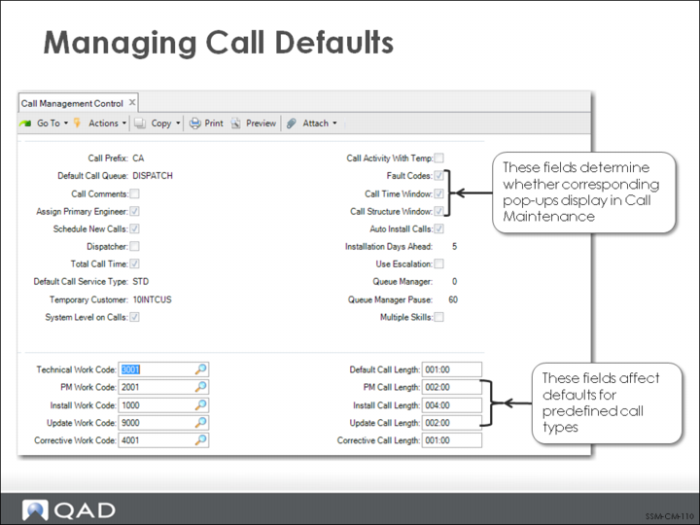
Managing Call Defaults
Controlling Frames that Display in Call Maintenance
• If you are using standard engineer scheduling, you will probably want to set Call Time Window to Yes in Call Management Control. When this field is Yes, the Travel and Estimated Time window appears in Call Maintenance, enabling you to enter an estimated time for the engineer. If this window does not display, the default estimated times set up for the appropriate work code in Call Management Control are used. Estimated call length is used to calculate engineer availability during call scheduling if Display by Calls is No in Engineer Schedule Control. Scheduling is discussed in detail in
Service Engineers.
• The appearance of the Item Service Structure Detail frame is also determined by control settings. BOMs and routings can print on the engineer’s call report as the list of items to be used and steps to be taken in a service activity. They can also be automatically loaded in Call Activity Recording as item usage. Service BOMs and routings are discussed in more detail in
Service BOMs/Routings.
Setting Default Work Codes
For most service organizations, calls generally fall into a small number of typical patterns. One of the most common ways of categorizing calls is by the kind of work involved. In SSM, this is determined by the work code. Five default work codes can be defined in Call Management Control. A default call length can be associated with each work code, and is used in Call Maintenance for calculating engineer load for each type of call.