Installation Call Settings
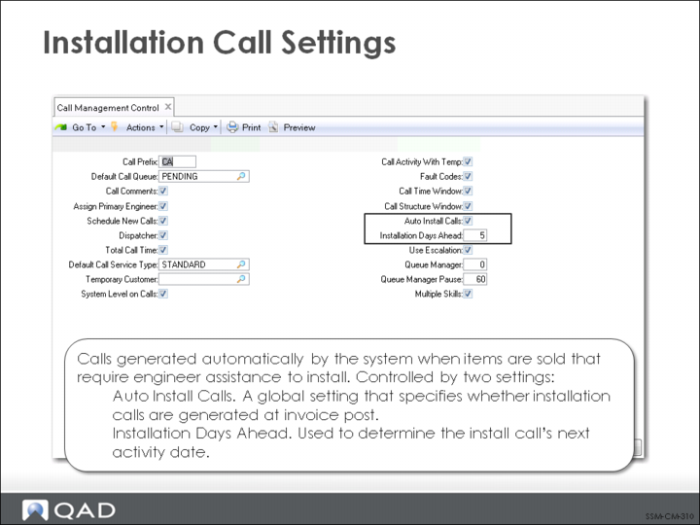
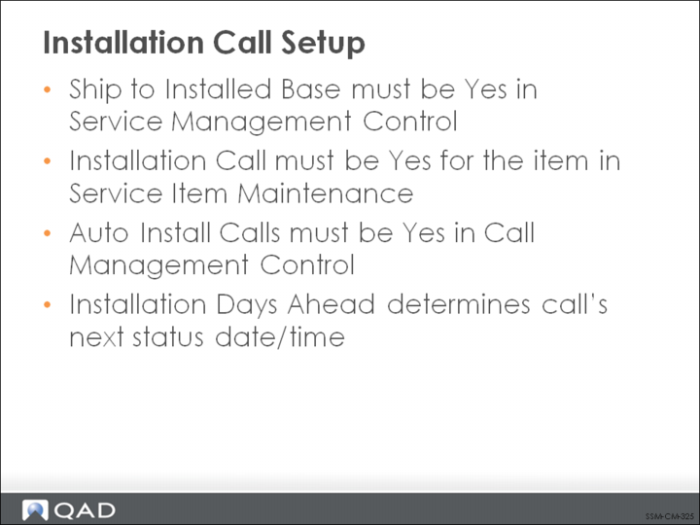
Installation calls are one of the special types of calls in SSM that are created automatically in the background by the system when all the necessary setup is complete. Install calls are additional feature of the interface between sales orders and SSM that is controlled by the Ship to Installed Base field in Service Management Control.
If this field is Yes and the item being shipped on the sales order has been defined in Service Item Maintenance as requiring an installation call, the system examines two control settings in Call Management Control.
Installation Call Setup
This figure summarizes the setup required in order for installation calls to be generated automatically by the system.
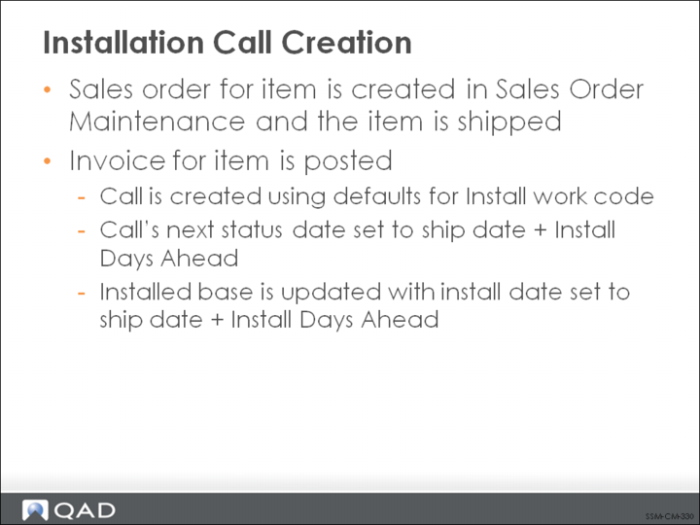
Installation Call Creation
A sales order is created for an item requiring an installation call. If the SO Edit ISB field is Yes in the Sales Order Control, a pop-up displays in Sales Order Maintenance, enabling you to edit defaults associated with the installed base update. Otherwise, the system simply uses the default values without giving you the opportunity to change them.
Installation Call will default to Yes in the ISB pop-up for an item requiring an install call. Once the item is shipped, the invoice can be posted and printed. During invoice post, the actual install call is created using any call defaults set up for the Install Work Code (as defined in Call Management Control). The Next Status Date on the call is set to the ship date plus the value of Installation Days Ahead.
Installation Call Management
An installation call is managed like other calls with Call Maintenance and Call Activity Recording.
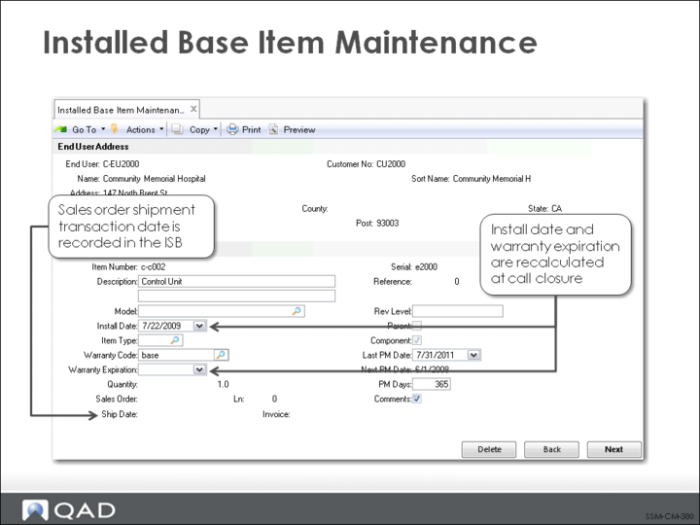
When the item has actually been installed and the call is closed, the installed base record is updated so that the install date reflects the call closure date. The warranty expiration is recalculated based on this new install date.