Call Generator
The Call Generator:
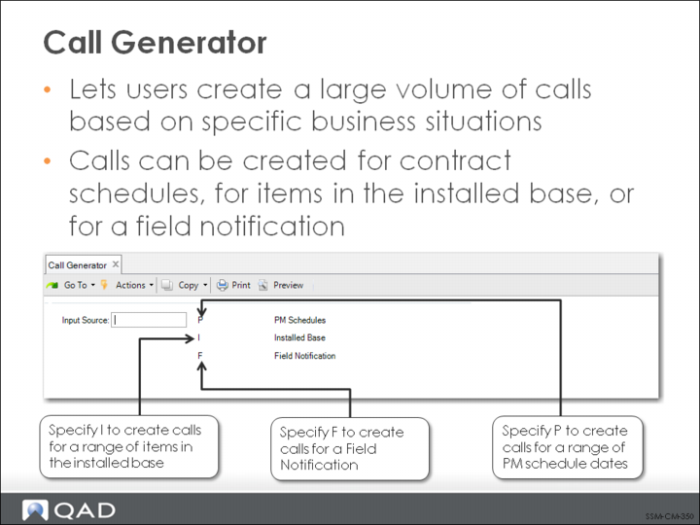
• Enables users to create a large volume of calls based on specific business situations
• Call can be created for contract schedules for items in the installed base or for a Field Notification
The Call Generator utility can be used to generate calls in three situations:
• The next scheduled call on contract preventive maintenance schedules
• Calls for a range of items in the installed base
• Calls related to field notifications
The kind of call generated depends on the selection for Input Source in the initial Call Generator frame.
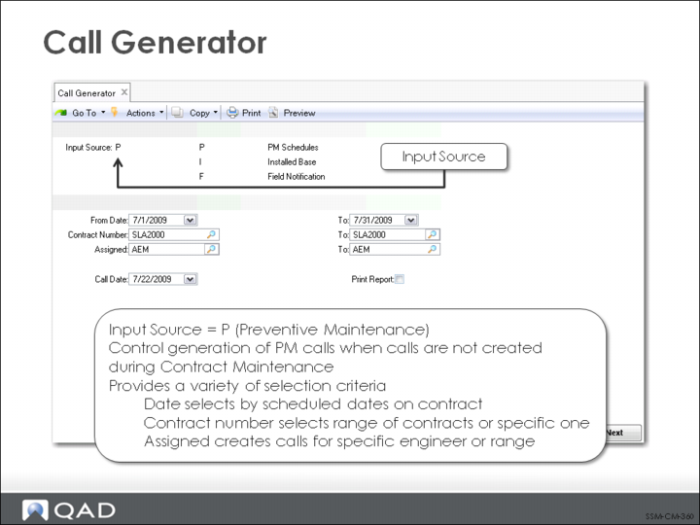
Call Generator Input Source = P
If you set Create PM Calls to No in Contract Control, preventive maintenance schedules are created, but no calls are actually generated. To avoid having to go through the Contract Maintenance sequence again, the calls can be generated using the Call Generator.
When PM calls are generated, one call is created for each selected contract with a scheduled date that falls within the range of dates specified. If you have assigned an engineer in Contract Maintenance, you can also create calls based on the engineer assignment.
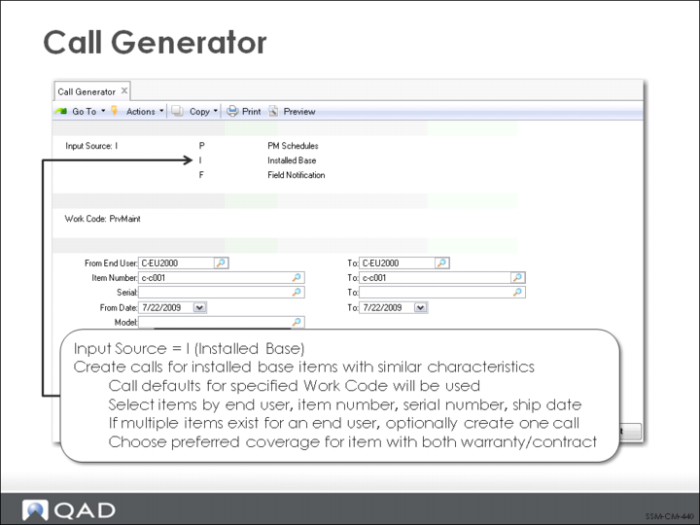
Call Generator Input Source = I
The Call Generator can also be used for items in the installed base. This feature can be used to meet many needs relative to installed base updates.
When I is specified for the Input Source, you can specify what work code to use for the generated calls. A number of selection criteria are available for choosing items: end user, item number, serial number, and ship date.
If the PM work code is specified, one field of the item selection criteria changes. Instead of selecting installed base items based on ship date, you can select items based on their last PM date. The screen labels change appropriately.
Calls for items in the installed base can also be optionally combined, so that all items for one end user are put on one call. The preferred coverage is only applied if an item is covered by both a contract and warranty.
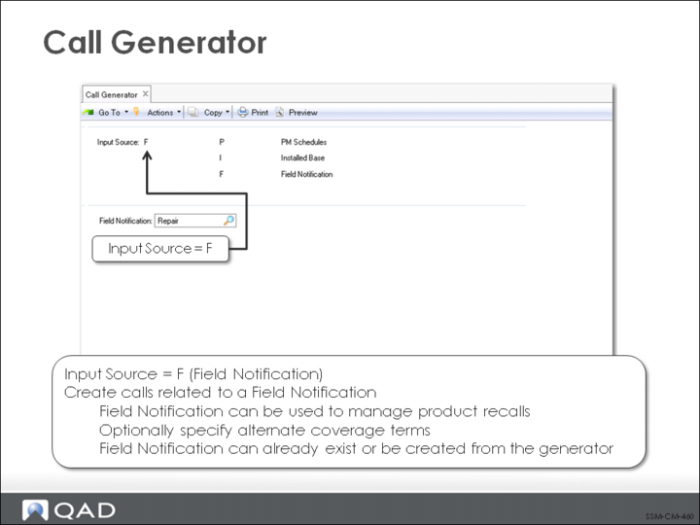
Call Generator Input Source = F
Many organizations track information about the installed base because of the possibility of product recalls. This is a common concern, for example, for medical equipment manufacturers. Knowing who has a product provides a foundation for a product recall. However, recalls may be associated with documentation and auditing requirements from regulatory agencies so that additional history and control may be needed to manage the process.
SSM provides a number of related field notification utilities that can be used to manage the recall process.
Field Notification Maintenance (11.3.12.1) enables you to create and maintain a field notification. The field notification serves as a way of defining, grouping and managing related calls, as well as maintaining history. The field notification is closed once all its associated calls are closed.
Call Generator (11.1.8) enables you to generate calls associated with an existing field notification, or optionally create a new field notification and generate calls for it.
Field Notification Inquiry (11.3.12.2) and Field Notification Report (11.3.12.3) display information associated with a field notification.