Queue Manager Control Settings
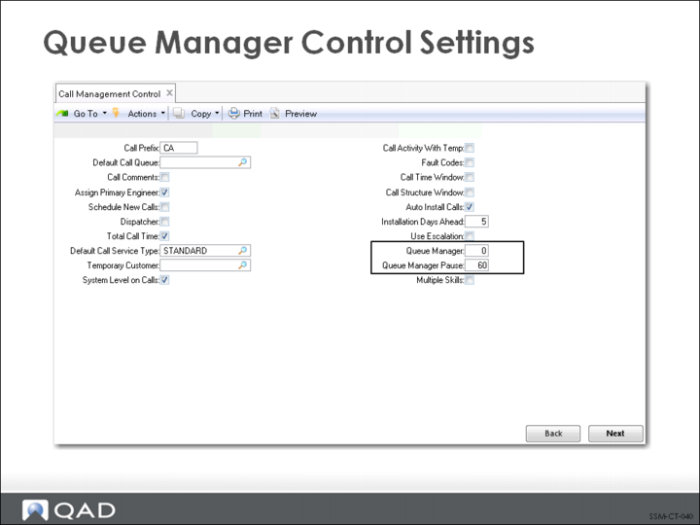
The Call Queue Manager updates its display automatically, using the time interval specified by the Queue Manager Pause field in Call Management Control (11.1.24). The Queue Manager setting determines how calls are sorted and displayed. For an individual user, this value can be overridden by the value set in the Service and Support User Preferences.
0 Displays calls by Nxt Date and Nxt Time. Pressing Tab toggles the sort order by End User.
1 Groups calls by the Assigned (engineer) field, then response priority. Pressing Tab toggles the sort order by Queue.
2 Sorts by the Assigned (engineer) field. Pressing Tab toggles the sort order by End User.
3 Sorts by the Area field. Pressing tab toggles the sort order by Customer.
To display calls by next status date and time, set the Queue Manager value to 0. Then the call with the oldest next status date and time displays first. This way, you can view all overdue calls or calls about to become overdue. You can also view all the open calls for a particular engineer ordered by oldest open call first.