Using Escalations
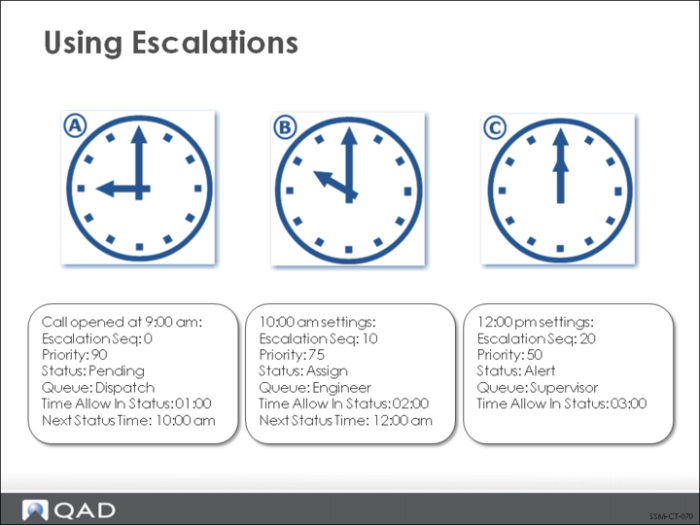
This figure illustrates how a call would be affected by the escalation sequences outlined in the previous figure. The clocks represent the passage of time. Clock A represents the default settings when the call is first opened.
Note: Call escalation sequences must always begin with a step numbered 0. The defaults defined for the first step of the escalation override any other defaults when a call is created.
• The call’s Next Status Date and Time are set based on the time allowed in status of the first escalation step-in this case, the call is allowed to remain in this status one hour.
• After an hour has passed (clock B), the Escalation Monitor applies the values of the next step in the escalation sequence.
• Notice under clock B that the status and queue have been changed. Fifteen points have been subtracted from the call’s priority, and the Next Status Time has been set to 12 noon.
• At 12 noon (clock C), the values of the third step are applied.