Material Orders Process Work Flow
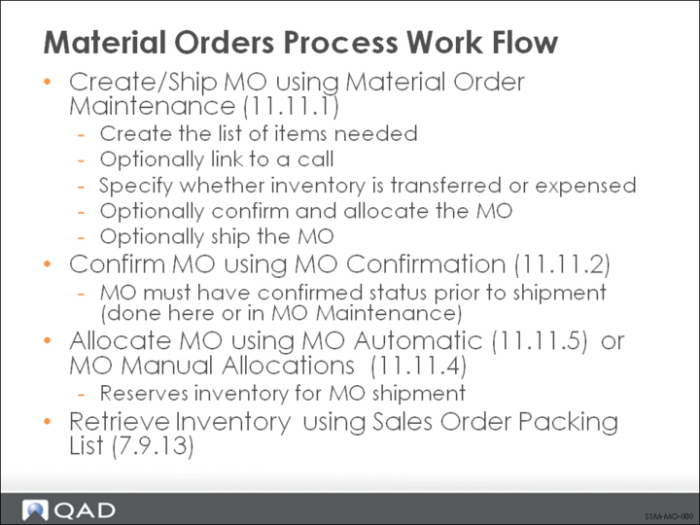
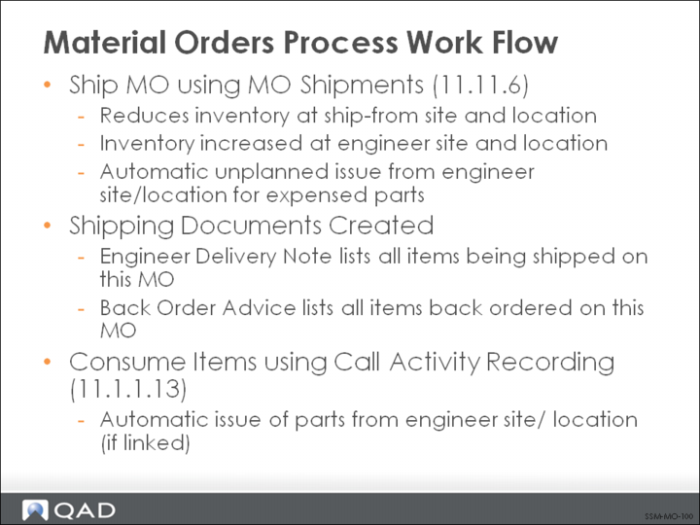
This figure, and the next three, illustrates the different functional steps involved in creating and managing an MO.
MOs are created (MO Maintenance) and are either linked with a call, for the engineer’s inventory, or expensed. The shipment of ordered items can take place directly when the MO is created, if the order is allocated and confirmed. Otherwise, separate confirmation, allocation, and shipment functions can be executed (MO Confirmation, MO Manual Allocations, MO Automatic Allocations, and MO Shipments). These functions are all very similar to their counterparts in the Sales Orders/Invoices module.
A packing list for an MO can be generated in the Sales Order module if needed.
MO Shipments automatically create shipment documents, including an Engineer Delivery Note and a Back Order Advice, if the shipment is incomplete.
Expensed MOs and MOs for the engineer’s own consumption are automatically deleted by the system once they ship completely. MOs associated with a call must be consumed for that call in Call Activity Recording or returned with MO Direct/Pending Returns. When all items on the MO with a call are consumed or returned, it is also deleted by the system.