Releasing an RMA to a Work Order
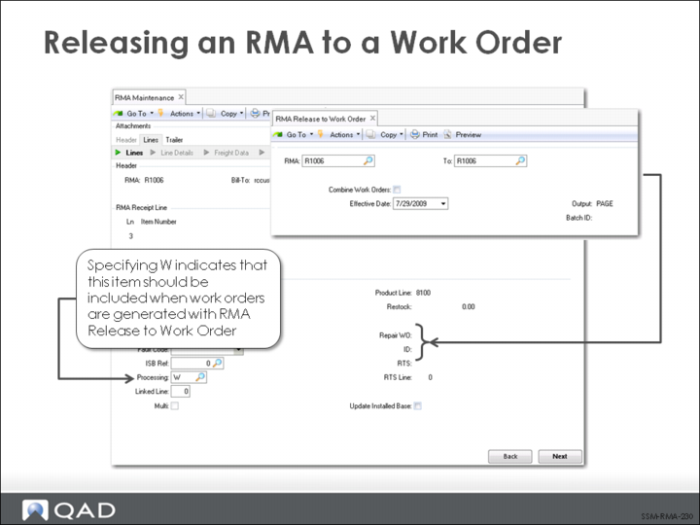
Some service organizations use standard manufacturing operations to refurbish items received from customers on an RMA. To accomplish this in QAD EE, you specify W (work order) as the processing option on the RMA receipt line item.
When the RMA Release to Work Order function is executed, rework orders will be created for all RMA receipt lines that have quantity received and a W processing option.
The work order number that is created contains a concatenation of the RMA number and the line item number, separated by a period. In this example, the work order is RMA4.8. The work order uses the repair routing associated with the item in Service Item Maintenance.
The default processing option is P for pending. You can change this to W at any time. For example, when you first create the RMA receipt line, you might not know if you need to open a work order to repair the item until it is received. Once you receive the item, you might then decide you need to process it via a work order. At this point, you can go into RMA Maintenance and place a W in the Processing field.