Tracking RTS Inventory
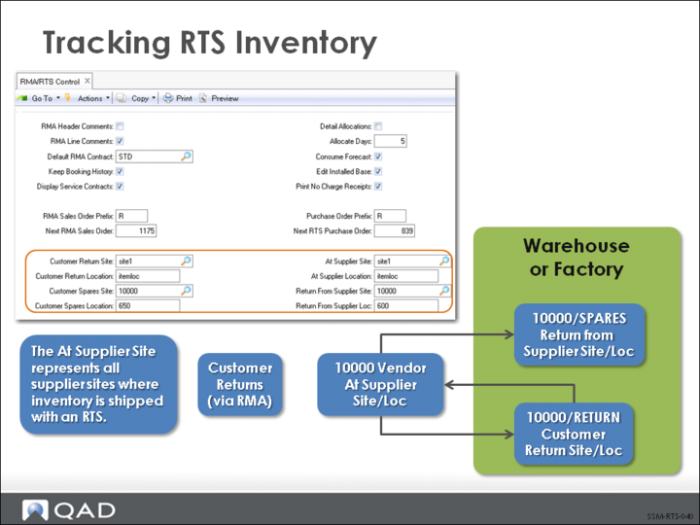
There are two ways to manage inventory for an item returned to a supplier: specify the supplier as an inventory site and track it, or issue the item out of inventory and not track it.
In the first option, inventory remains within view in QAD EE, even though it is not physically present. You specify a supplier inventory site and locate the RTS item there. This approach gives you the advantage of knowing at all times exactly how many units of the item are being repaired.
Since costing by site is a feature of QAD EE, you can assign any cost or no cost to these RTS items while they are at your supplier’s site.
The supplier site for inventory is set up in RMA/RTS Control (11.7.24). The At Supplier Site is a virtual representation of all your suppliers. If you want to track the RTS while it is at the supplier and you have multiple suppliers, one option is to have one at supplier site with a different location for each supplier.