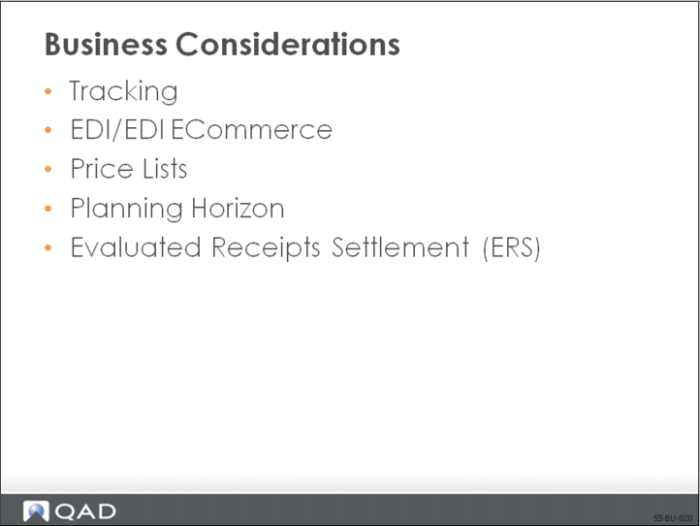
Business Considerations
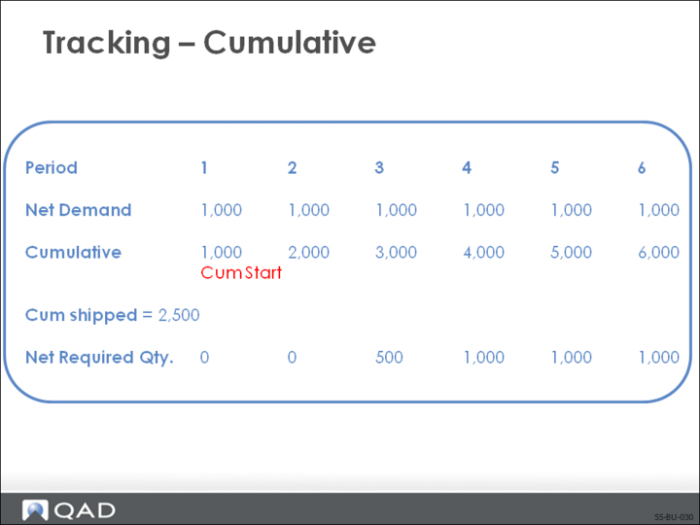
Tracking - Cumulative
Definition
Two methods are used by trading partners to maintain totals of required and shipped/received quantities:
• Cumulative accounting maintains running totals for each shipped/received quantity.
• Non-cumulative accounting methods are calculated from discrete quantities and are adjusted using the cumulative quantity required less the cumulative quantity received or shipped.
Why Consider?
• Traditionally, schedules in the automotive industry have been based on cumulative accounting
• Total schedule quantity determined for a period, often a year
• Effect of each shipment to a customer was calculated based on a cumulative total
• Today many business environments use release management to ship against specific requirements
Functionality in QAD Enterprise Applications
• Monitor received/shipped quantities; quantities can be adjusted
Setup Implications
• Supplier Scheduled Order Maintenance (5.5.1.13) needs to be set up to reflect when quantities begin to accumulate as agreed upon between you and your supplier
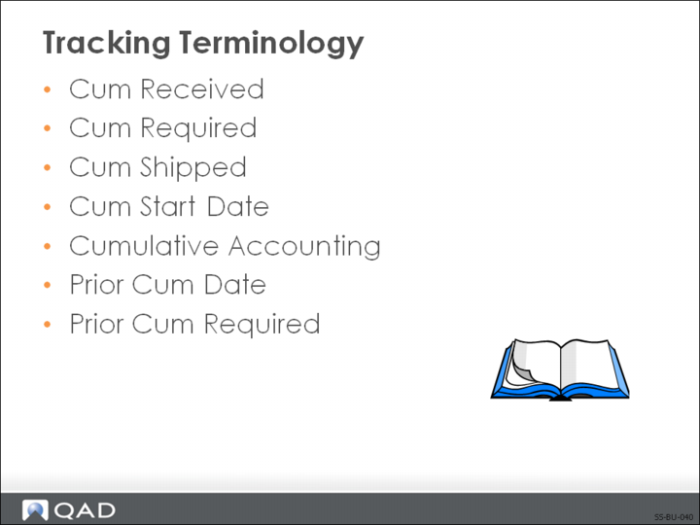
Tracking Terminology
Cum Required
The gross cumulative quantity on order at any point in a customer schedule.
Cum Shipped
The cumulative total shipped by the supplier.
Cum Start Date
The date a scheduled order shipment began accumulating quantities.
Cumulative Accounting
A method of tracking shipments and receipts in which trading partners maintain running totals of required and shipped/received quantities.
Prior Cum Date
The up to and through date of a prior cumulative required quantity.
Prior Cum Required
The total quantity required prior to the date of release.
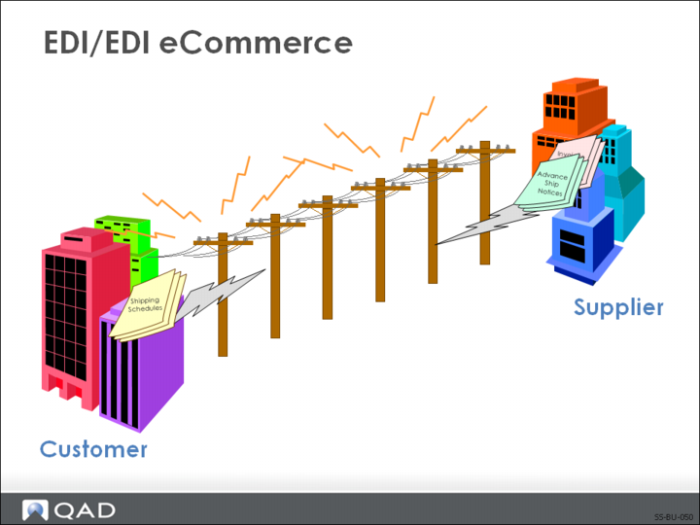
EDI/EDI eCommerce
Definition of EDI
An international protocol defining the means and methods for electronic transmission of documents between trading partners. Documents are transmitted in a highly structured format that can be processed by computer software.
Definition of eCommerce
eCommerce is the interface between QAD Enterprise Applications and third-party EDI communications or translator products called EC subsystems. eCommerce enhances the system’s ability to manipulate, analyze, edit, and reprocess EDI data.
Why Consider?
• Time saving
• Information processed faster
• Shortened response times
• Reduced data input
• Reduces errors
• Saves labor costs
• Reduces/eliminates paperwork, fewer people are needed
• Lower inventory levels
Functionality in QAD Enterprise Applications
• Support import of ASNs (856) and invoices (810)
• Support export of schedule releases (830)
Setup Implications
• EDI eCommerce software, files, and so forth need to be set up
• Modify user-edited programs to meet trading partner requirements
• Trading Partner Parameters Maintenance (35.13.10) needs to be set up
• Supplier Data Maintenance (2.3.1) needs to be set up with supplier information
• Supplier Item Maintenance (1.19) needs to be set up with supplier item cross-references
• Document Import (35.1) recognizes the supplier item number on the imported document and converts it to your internal item
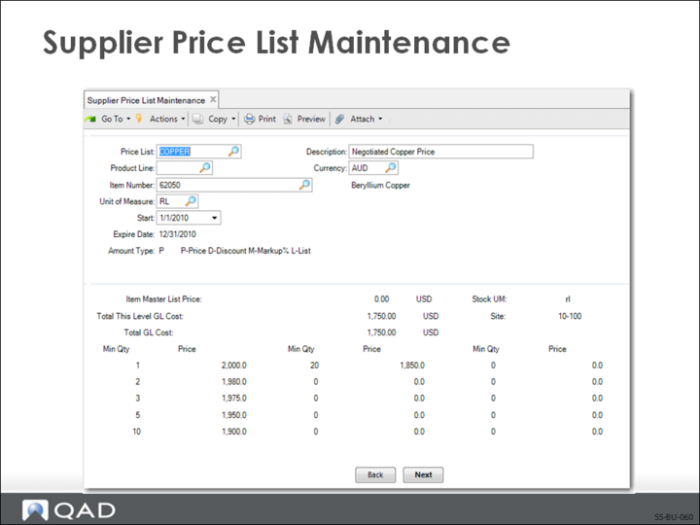
Supplier Price List Maintenance
Price lists represent a convenient tool for inputting item prices for suppliers without having to perpetually maintain the scheduled order. The scheduled order references a price list.
Functionality in QAD Enterprise Applications
• The price list is maintained separately
Note: Allows other departments to maintain prices, without having to access the scheduled order line.
• Each item needs to be input on the price list with its relevant price
Setup Implications
• Price lists need to be set up in Supplier Price List Maintenance (1.10.2.1) with an amount type set to P (Price) to be used with supplier schedules
• Scheduled Order Maintenance (5.5.1.13) needs to be set up to reflect the price list
• Supplier Maintenance (2.3.1) can be set up to reflect a price list for a particular supplier
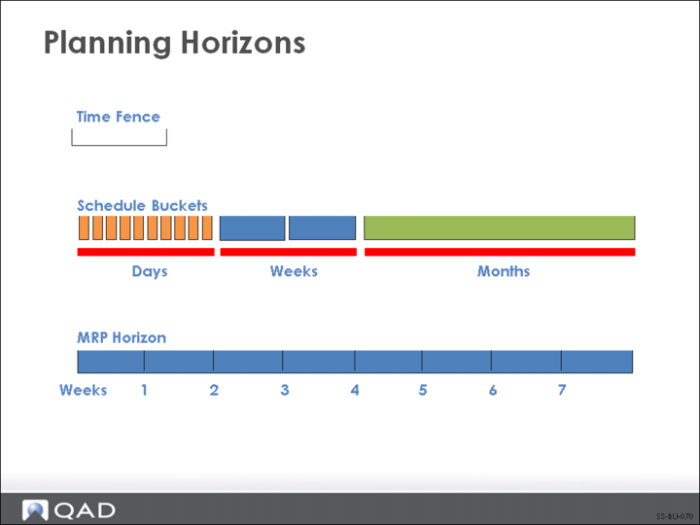
Planning Horizons
Definition
A period, in calendar days, over which MRP is to plan. MRP processes material requirements only within this horizon.
The planning horizon determines how MRP plans or replans orders that are to be included in the scheduled release. It plans requirements only within its planning horizon
Functionality in QAD Enterprise Applications
Planning horizon parameters are used by the system to generate the schedule. The schedule is seen by your supplier.
Note: Supplier Scheduled Order Maintenance (5.5.1.13) needs to be set up to reflect the planning parameters for the scheduled order.
Evaluated Receipts Settlement (ERS)
Definition
ERS enables you to record a pending payment to a supplier without a supplier invoice. Liabilities to the supplier are recorded automatically, based on quantities received at the unit price established by you and the supplier in scheduled order agreements.
Why Consider?
ERS offers the following benefits:
• Reduced clerical workload and costs
• Fewer lost and duplicate invoices
• Fewer discrepancies between invoices and receiving data
• Earlier availability to customer of actual cost data
• Reduced need for customer to accrue unaudited liabilities
• Reduced forms, mailing, and data transmission cost to supplier
Functionality in QAD Enterprise Applications
ERS processing takes place when the shipper is received.
Setup Implications:
• Run ERS Conversion
• Creates records for every site and supplier in the current database
• Enable functionality and set ERS fields in ERS Control (28.10.24)
• ERS Packing Slip Error
• Update GL Average Cost
• ERS Invoice Date Option
• ERS Options
• ERS Maintenance (28.10.1)
• Turns ERS processing on for supplier, site, and/or item
• Supplier Scheduled Order Maintenance (5.5.1.13)
• Set ERS options at order level and at line item level
Review