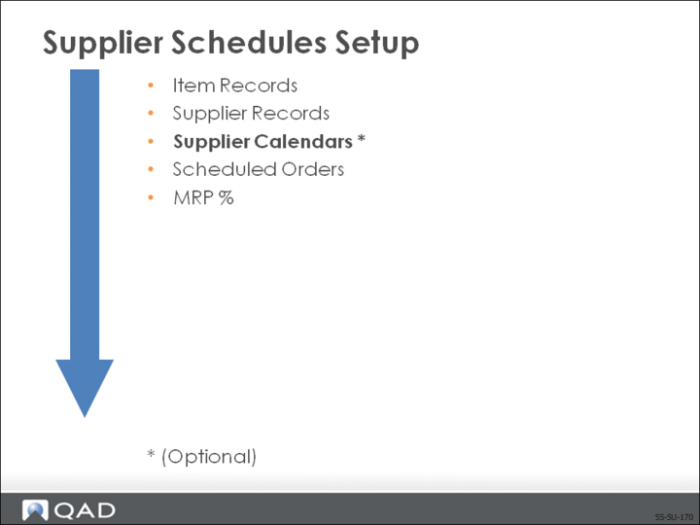
Supplier Calendars
QAD Enterprise Applications allows you to set up calendars matching your supplier’s work schedule.
• Create when your supplier’s work schedule is different from yours
• Maintain a supplier calendar for those suppliers from whom you pick up shipments
• Schedule Update from MRP (5.5.3.1) uses the supplier calendar to calculate shipment dates, back-scheduling requirements if the initial due date is not a work day for the supplier
• If there is no supplier calendar, the system uses your calendar
Supplier Calendar Maintenance
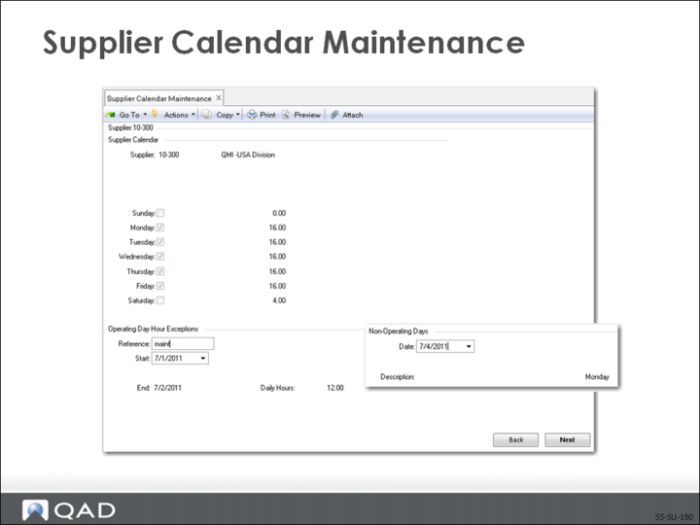
Use Supplier Calendar Maintenance (5.5.1.1) to set up a supplier calendar.
• Useful when a supplier has a work schedule different from your company’s work schedule
• Specify your supplier’s work days and their hours of operation
Note: MRP calculations are not affected by the supplier hours; they are for your information.
Operating Day Hour Exceptions Frame
• Exceptions to the supplier’s calendar, such as shutdowns
Non-Operating Days Frame
• Use to define exceptions Holidays
• Access this field by clicking Back
Exercise: Supplier Calendar
Your supplier has a work schedule different from your work location. Therefore, you need to set up a supplier calendar.
Use Supplier Calendar Maintenance (5.5.1.1)
1 Supplier 10S1003 operates two shifts Monday through Friday for a total of 16 hours per day. They also operate on Saturday for 4 hours.
2 They have a shutdown from July 1 through July 14.