Supplier Schedule Receipt Processing
Process Supplier Schedule Receipts
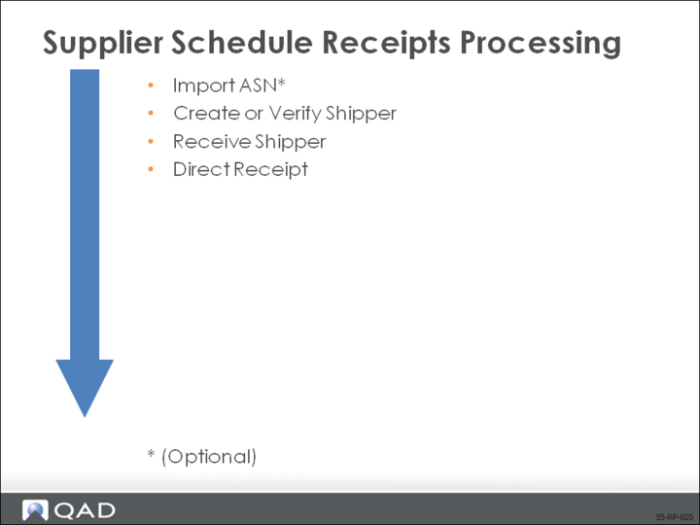
This slide shows the typical order for processing supplier schedule receipts:
1 Import ASN (Optional).
2 Create or verify shipper.
3 Receive shipper.
4 Direct receipt.
Receipt Processing
How you receive items against your scheduled release depends on the relationship you have set up with your supplier. You can receive notification of the shipment by:
• ASN
• ANSI ASC X12 856 document, defined by an ASN number
• Transmitted when a shipment leaves the supplier’s shipping dock
• Provides you with advanced notice of the items just shipped
• Can represent multiple items over multiple orders
• Packing list
• Send with the shipment
• Identified by a Shipper ID
• Shows quantities and items
• Shipping labels
• Bar code labels affixed to each shipment container and container group
• Invoice
• Shows quantities and items detail by order, with extended pricing
Once you receive notification of the shipment, you have three ways to process/receive the shipment:
• Import, verify, receive, and confirm the ASN
• Manually create, receive, and confirm a shipper
• Direct receipt using the Purchasing module
The receiving process begins with the arrival of either an ASN, signifying a shipment is on the way, or by the actual shipment and accompanying documentation. The first step is to record or verify the shipment data such as shipment ID, items in the shipment, quantities, costs, and sometimes containers.
If receipt was by way of an ASN, the information will be in your system after importing the ASN. You can verify the shipment data before you receive and confirm the shipment. If your supplier did not send an ASN, you will need to enter the shipment data into the system to create a shipper.
Once the shipment data is in the system, you then receive and confirm the shipper. This updates three history records:
• Purchase receipts
• Inventory transactions
• Inventory GL costs